FROM THE COMMUNITY COLLECTION
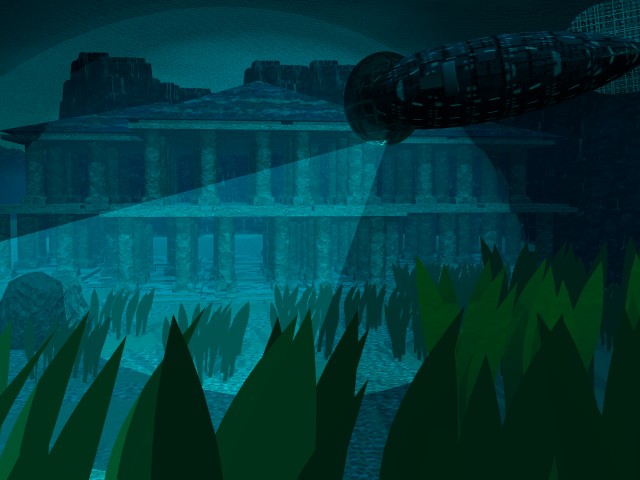
Atlantis?2
Well it is basically the same concept of the first one, but I just tried to follow Davidbrinnen's advice, and glad to say that it looks pretty good. Thanks 4 the advice dude!
Loading unique views4,513 unverified legacy hits0.0 archived rating2004-12-09 added
Comments 6
A conversation around the artworkSign in to join the conversation.
hmm For volumetric spotlights, if you put say 1 or 2 lights, and if it's that size of image, then i'd say maybe an hour or less. For lit 'cone' rays, barely an increase in render times, so probably nearly the same is how long this one took you.
Thanks I'll try that! just one question how long do you think it'll take to render?
Rays Well, for rays, there are 2 ways to do it. One is using Volumetric spotlight effects. This is quite hard to pull off, but i'll give you the rundown. Get a spotlight, and place it where you want the light to shine from(make it behind an object, like a tree maybe, you're trying to make the shadow appear, so you can get the streaming effect, otherwise it'll barely work). Next go into edit for the spotlight, put your light intensity down to about 15-10(20 -25 is way too bright unless you want it that bright), change the spotlight to volume, and put the light onto infinite light(don't have to, but it's much better), then press okay. This should generate the streaming light if you placed the spotlight correctly, but as I said this is no easy task, it's terribly difficult to get the light how you want it, and placement is probably the reason why you see no streaming light. This'll increase render time quite a bit, but if the effect comes out right, then it's damn well worth it. As for the other technique, this involves about 4 things to do, and is quite easy to do. Make a cone, and enlargen it to how long you want the light, and then place it to where you want the light to stream from and to. Next go into the materials section and in complex FX, give it the material of "lit rays". Once this is done it'll give the effect, but atm it's very bright. So go into material editor, and raise the transparency, so the light becomes more faded and the effect comes out much better. You can make it as bright or as dim as you want, all up to you :) Hope this helps on your bryce designs sometime, and nice job on the pic. I'd like to see some streamed light coming down onto the sea floor maybe ;)
Aye, it's getting there. What you really need for the final render is to use DOF effect, - it is a killer as far as render time is concerned but the blurring will add a real sense of depth and immersion for the underwarteryness. Pick the sub as the focus and use between 0.01 and 0.05 or somewhere abouts - more lighting suggestions, a light from above, a spot focused on the ocean floor with a caustic gel - I feel certain Bryce5 ships with such a gel - or use a procedure to give that light thro the waves effect. Maybe Frozencry could give you some advice on the making the rays visible aspect since he seems to be in the process of mastering that tehnique.
I'll work on it thanks!
Much better Definately more atlantissy, but that ship.. it needs some better texturing...