FROM THE COMMUNITY COLLECTION
Streaming light tutorial
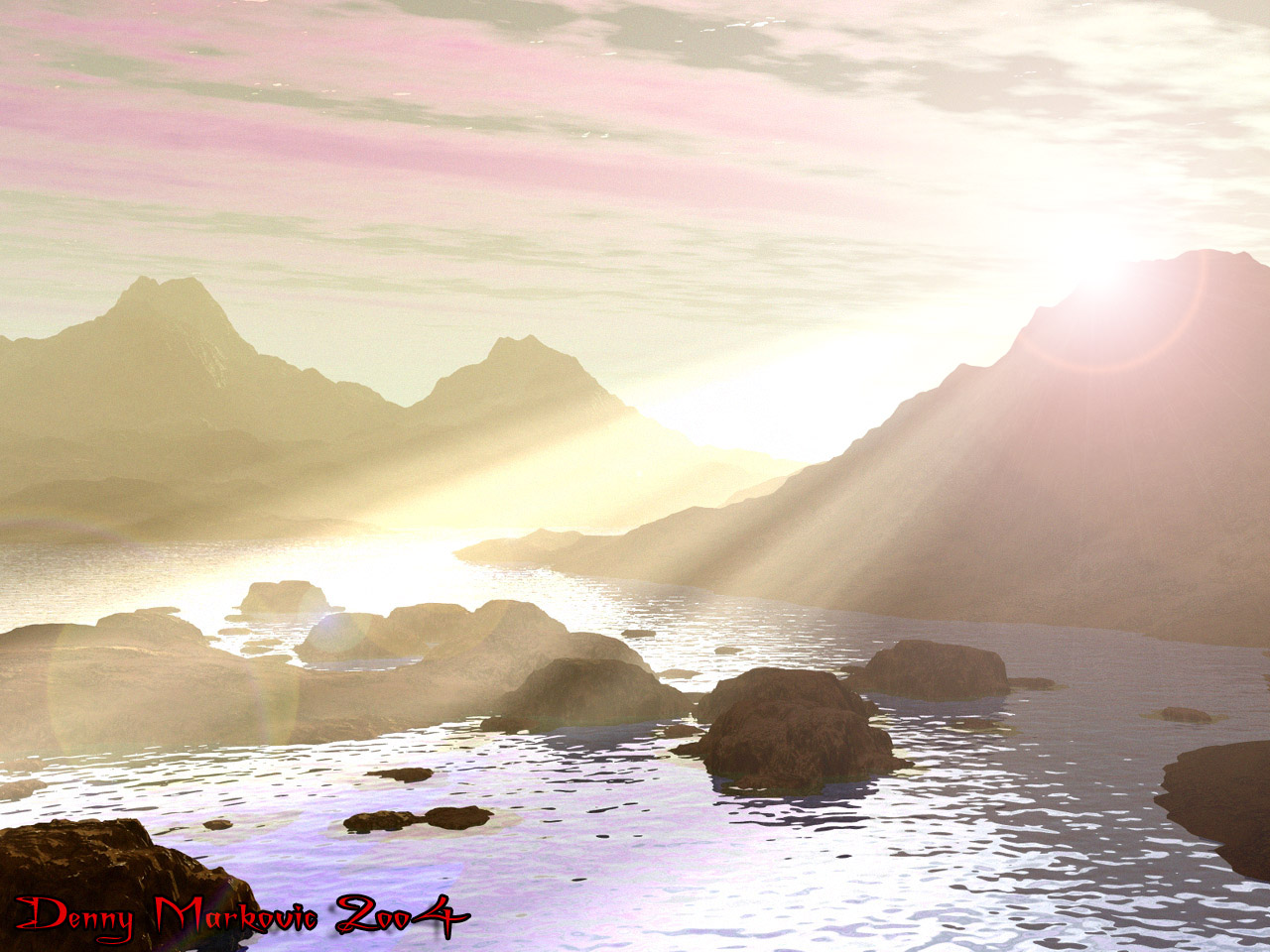
hmm okay, well i'll try add as much detail as I can on how I did this one. First I designed the landscape and everything, because the lighting here should be done last, so you can see where you want the rays to flow, and what would look best. After you've designed your landscape, place the sun to where you want the lit rays to come from, like mine for example, right above the land so it looks as if it's almost dusk. On you've done this, make some clouds so you can make it look that your lit rays actually have things it streamed through, because it's weird to see a clear sky with rays coming from the sun with gaps in them, yet nothing gave it that shadow. Once all this is done, make a cone, then stretch and enlargen it, but not too much. Place it where you want the lit rays(Note: You don't have to make the cone so big that it goes over the landscape, make it fairly large, but you don't need it huge because usually you can make the illusion of the lit rays coming directly from the sun, and further away it's faded.). Then add the material "Lit rays" from the Complex FX materials section and press ok. This'll make the lit rays, except extremely bright. To fix this, go into the material editor and raise the transparency level, this is variable depending on how bright or faded you want your rays. press ok once this is done. Now you should have some nice rays streaming through clouds and to the ground :) Hope this helps some of you on your lighting. As for my picture, I fiddled with the levels of contrast, brightness, colour, etc, in photoshop, and also added a lens flare for extra effect.
Comments 2
A conversation around the artworkSign in to join the conversation.
thanks I find this most helpful and luckily its simple enough for me to understand :P
Tis good (Hugs FrozenCry) Thats great!