FROM THE COMMUNITY COLLECTION
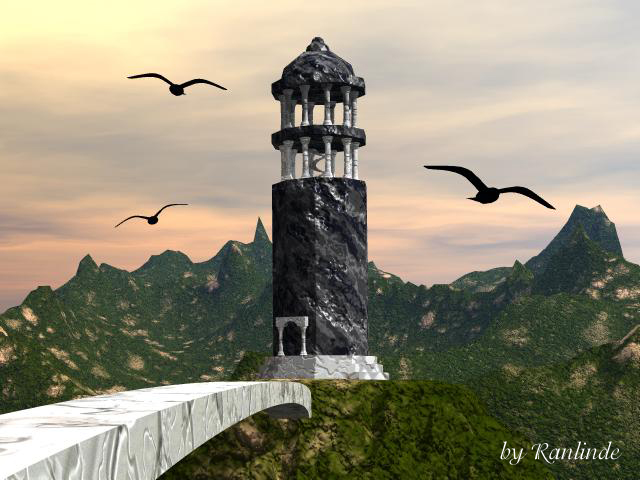
Raven Tower
A picture made to be used as a banner on an RPG site I frequent...
Loading unique views4,303 unverified legacy hits4.0 archived rating2004-12-29 added
FROM THE COMMUNITY COLLECTION
A picture made to be used as a banner on an RPG site I frequent...
Comments 4
A conversation around the artworkSign in to join the conversation.
Re: positioning hey thanks! Will definitely try it out! As for the materials - that is to wait untill I finish deep texture editor tutorial :P Yes, I'm one of those tutorial people :P
Position Tower and bridge are good the scenery, too. Experiment with tweaking materials. The potential for a good pic is here. Instead of the dog wagging the tail, the tail can wag the dog -- I mean instead of messing around with the camera position, you can also leave the camera alone and move your scene around. Select the movable camera (not the director's) and set it to X/Y/Z = 0/30/-100 to start with. When you scale the terrain, just move the camera up with the arrow and forget the joystick, which I also find somewhat awkward to use. I usually set my scenes that way and fine adjust the camera later on. Perhaps it helps.
THANKS I've been wondering how to remove the pointiness myself but being an awkward newbie in the world of Bryce had no idea how. Your suggestions are muchly appreciated. As for the camera position - am still struggling with the camera controls heh. But I'll keep that in mind. :)
Towers are tricky, particularly I find if you place them right in the middle of your composition, the ravens help but I think you would be on safer ground if you put the camera on the bridge and moved the tower leftwards in frame with ravens high, low and medium left to right. The colour and atmosphere I like but I think you need to ramp up the rez on your terrain to remove the tell tale geometric pointyness - I find mordor @ 512x512 usually does for fantasy scenes. Just a thought. Good work.