FROM THE COMMUNITY COLLECTION
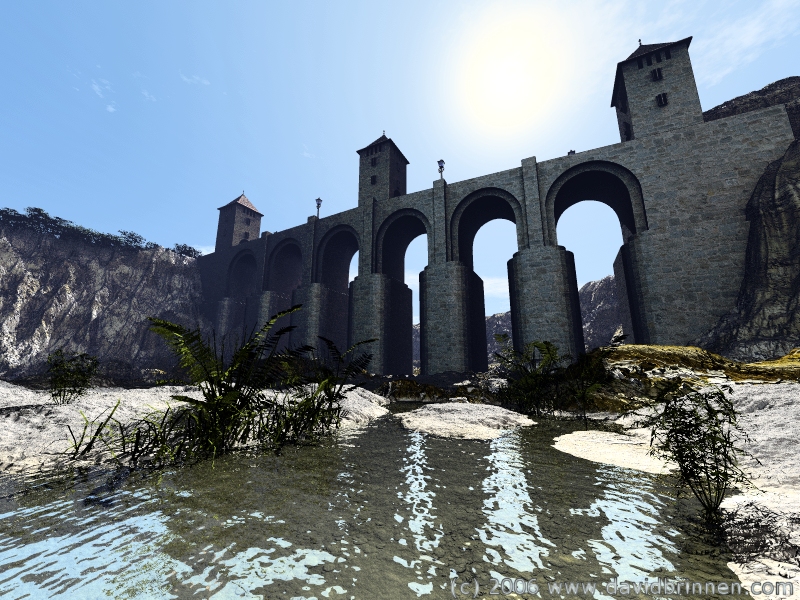
Multi channel bridge render
A refinement of the techniques used in the fan renders. Bridge model from DAZ content kit 1. Renders layered together in Paint Shop Pro7.
Loading unique views3,841 unverified legacy hits5.0 archived rating2006-04-01 added
Comments 5
A conversation around the artworkSign in to join the conversation.
The issue with the dark plants is just that I used a dark material on them - I object to overly bright greens. I don't know of any object specific lighting, but if necessary I could use the ambient channel since I normally have that turned off so that there is always an option to have glowing materials. The problem I have with object masks is the AA creates a border which can cause strange outlines and I avoid priemum render whereever possible because of the time aspect. Although it is a requirement of this technique it is possible to get away with very low ray counts since it only carries the light level information and not the detail as such.
Very interesting technique, indeed. This looks like a real photograph. Excellent angle of view. The plants are very good but somehow don't seem to belong here. But that's a minor quibble of mine. The water is outstanding as well.
Very interesting technique, result looks quite real. My only problem is the plants. Perhaps another render with the plants illuminated well enough to get rid of the black, and lay it over the end result with an object mask? Or, does Bryce have a feature where you can have lights affect only specified objects?
( ) . ( ).... Wow thats good. If I didn't know ya better I say your just using real photos. Keep it up!
=) Good job on this...I love the water and all of the textures...Your plants are excellent. =) Interesting perspective on this one.