FROM THE COMMUNITY COLLECTION
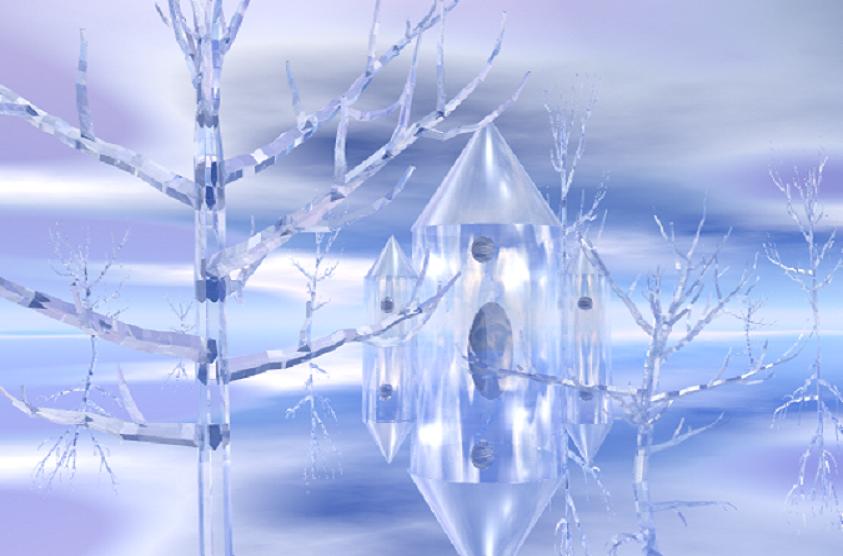
Ice-scape
This is my 7th project and my first attempt to use the directional tools. It was easier than I thought. I also learned how to manipulate the sky-atmosphere. I wish I had an instruction book. I bought the CD on line. Oh well I'm learning by trial and error. I hope you like it. Happy Holidays.
Loading unique views4,493 unverified legacy hits0.0 archived rating2006-10-31 added
Comments 9
A conversation around the artworkSign in to join the conversation.
Thanx Thankyou for your reply to my question. I really do appreciate it guys!
TIR Total Internal Reflection... consider a prism, none of the sides are silvered to make it work, it works because the light is hitting the transitional boundary between the glass and the air above a specific critical value, somewhere around 42 degrees I believe for glass or water... not that that really matters. There is an way to engage TIR in your render options. Turing it on will do no harm and to really appreciate what it can do for you you need to have a play with it. Also, I can recomend http://www.bsmooth.de/BSolutions/ for all kinds of useful tips and tricks, and also a good sound explination of how to use TIR. On the subject of your image, I agree with Horo, the angular nature of the models really lends itself to the use of refractive/tranparent materials, if it were more treeish, you might well loose that crystaline effect.
search tir Fortunately there is a bit of information about it here on this site. Just search TIR and you will see about 6 or 7 renders complete with comments that will do a better job of explaining it than a manual would. P.S. Horo, no need to apologize. I appreciate your effort to spell my name correctly. You mean no harm and I take no offense when none is meant. No worries.
Much thanks! Thankyou all for your insites. I really do appreciate them all. by the way what is TIR? I have no instruction book to work from. I got my disc used online and it came with nothing. I've been working blind here. Any tips on how to get one?
Oh my... Sorry, it should read Rashad, not Radash - so sorry.
Angular trees I'm not challenging what Radash said, because he's right. However, if you go for ice trees, I think angularity has a lot of charm and might be better suited than more organic, soft forms. Just a suggestion.
I like it alot. Another show of uncanny wisdom. Great colors as the colors compliment one another and the crystal extremely well. Ice, crystal, technically hard stuff even for a seasoned veteran. You take big bites, and because of it you find big rewards. This scene is on it's way but it wants more follow-through, more completion, as in more crystal trees to truly create a sense of a crystal world. Remember when I told you that scenes could get complex and take days to render sometimes? Well, this might be one of those scenes due to the transparency. Just behind the art is alot of technical stuff to produce reality, such as TIR. You will be given more and more technical notes as your scenes will become more complex and will require new techniques in order to reach your higher and higher goals. You can definetly handle it. I respect Richter's advice on the TIR. Any advice he gives should be implemented, as I have never seen one of his suggestions being ill placed. He really knows this program and CG art in general. Don't let the increase in render time scare you. TIR is not always necessary, but here it probably is. Look up "render options" in your manual and you will see what TIR is, as you may not yet have heard of it. Ice is a raytracing intensive material due to it's transparency. It adds render time because the "photons" have more surfaces they hit before being completely absorbed, so the math equations used are more complex. Simple unified transparent objects are easy to render, the problem comes when transparency gets stacked, as in a scene like this one will be that is many objects deep. The blackish areas where branch meets the trunk are the issue Richter is likely addressing. You may also need to increase the ray depth from 6 to maybe 10 or 12 to avoid these black spots as more and more trees are added. Hello long render time, but with the benefit of quality. The tree trunk model you are usung is very angular and seems to be made of more than one mesh, instead of one smooth seamless rounded mesh. These seams are a big problem when transparency is involved. I suggest using tree lab trees with crystal trunks, branches, and maybe even leaves. Check the search engine, but I remember a beautiful scene someone rendered here years ago of a crystal forest or tree, it was blue in nature. Anyhow, they used tree lab trees and they are not angular like these. Thank you for your kind words on my scenes by the way. They really are nice to hear or read. You yourself demonstrate a fierce talent and are one to keep a close eye on as you continue to blossom. Most of my works are technical challenges turned art, so don't be surprised if artistic impetus comes after the need for technial accomplishment. No need to say keep it going because I'm sure you will.
Almost as an abstract image, clean & clear. Keep it up, as Horo sais. May I just suggest you a lil' something - it appears to me that this pic was rendered without the TIR option. I can't be sure of what your goal was, but try turning the Total Internal Reflection in the render options. It will look a lot more crystal then now. Nice one nevertheless!
Winter - feels cold. Very good start. Keep it up!