FROM THE COMMUNITY COLLECTION
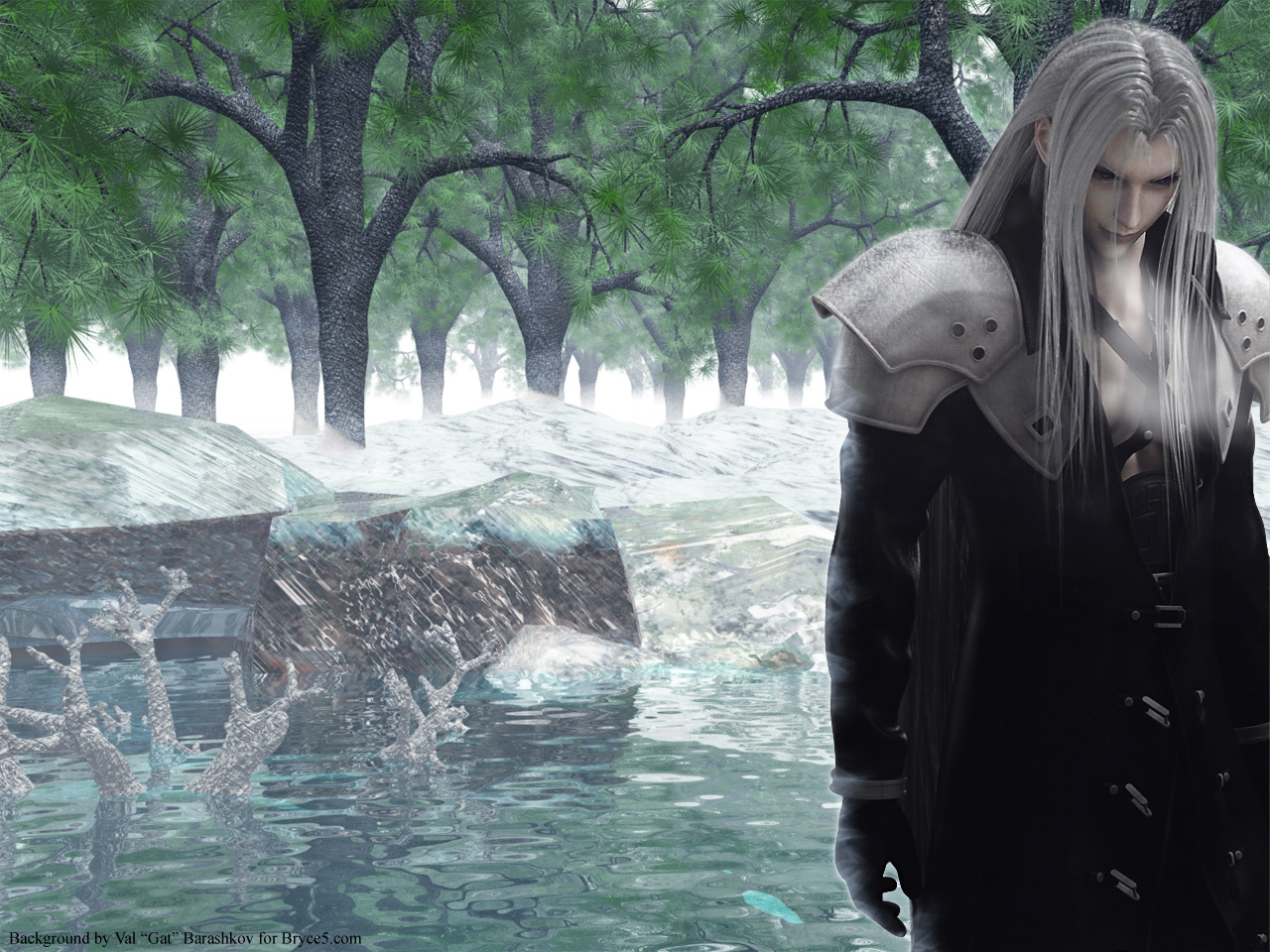
Reflection of the Soul
I made this back in Bryce5, 9 month ago. I think I got everything looking good (and yes the trees have green leafs), but there are still some problems, like the snow for example I am open to sujestions. Also, there was minor post work done in photoshop, also the person in the render was added in photoshop just incase you couldn't tell yourself, if you have any good ideas on how to make him blend in better that would be great to let me know. Also, almost everything is cover in a sphere with volume snow material applied (I think, I don't remmember now). Enjoy. Oh and snow on trees is also photoshop.
Loading unique views4,371 unverified legacy hits0.0 archived rating2007-02-20 added
Comments 8
A conversation around the artworkSign in to join the conversation.
. The snow looks more like ice but even I like it, the river help to looks more real, but my suggestion in the trees should has snow, this picture it remembers to me to Final Fantasy, good work
Nothing much to add. The trees look good. And yes, if you have to resort to a 2D picture, the use of a billboard that can be rendered is better than inserting it on the picture level.
. Ok thanks, I actually have Hiro, I downloaded it when it was offered for free on DAZ. I learned how to use Blender, so I think I should be able to use the tutorial.
hiro The reason I mentioned the Hiro3 character is because in the 3d world magazine release last month there is a cd included in the magazine with hiro3 and aiko3. Hiro3 base is on sale at daz for about $30, but it is available in the magazine for free once you buy the mag price for only $15. It is a special offer only available in the magazine. The magazine is expensive, but it comes with a cd full of hundreds of dollars worth of content so it is worth it every time. Aiko 3 is on sale at daz for free so you can get her with ease. I would buy the magazine and save $15 if I were you and had an interest in these anime characters. The tutorial is not for bryce unfortunately. I have only a limited interest in these types of characters so I did not follow the tutorial, but I think it is designed for higher end programs like Maya, lightwave, 3ds Max, houdini, cinema 4d, I'm not sure exactly. But you may well have one or many of these programs in your toolset so you can use them. truthfully, I feel that bryce can do all of the things you would ever need to with this character, as you are making still frames and not animations. Check out the daz site and hopefully you can find what you need for the long conforming hair. 3d world magazine is a really great resource. Great models, textures, and tutorials out of this world.
. Hmm I never thought about that, this image was just a one time thing, but I have undertaken projects harder then the one you have mentioned so I guess I will try it out, thanks. any idea where to find that tutorial? (the haze affect came out so good due to the volumetric snow)
Not much for me to add here. I really like the way the haze field interacts with the trees and the leaves. Why not purchase Hiro3 from daz and create your own royalty free (more or less) version of this character for yourself. In 3d world magazine, in the issue release last month or maybe this month, there is atutorial on how to use the hiro 3 character to make scenes like those from Final Fantasy. You can do alot with a cut out, but alot more with a 3d model. Of course my way is the long and hard way and you may not have the time to commit to it, but it's an idea.
. thanks. I am not sure why I the terrains turned out this way, but it was made a long time ago. I think I will work on this again and try to improve it.
Integration... Suggestions... um... strive to get the same quality of surface out of your materials as of those on the figure. Also consider using higher poly count terrains to form your boulders and background because they seem a little angular and this does clash with the figure also. And in the light, try to match that of the forground figure too - otherwise, and you know this, he will not blend with the scene. A further enhancement posibility would be to turn the figure into a "billboard" and have them in the bryce scene and this would allow geometries to be placed around them, like some foliage or a rock of some similar foreground object.