FROM THE COMMUNITY COLLECTION
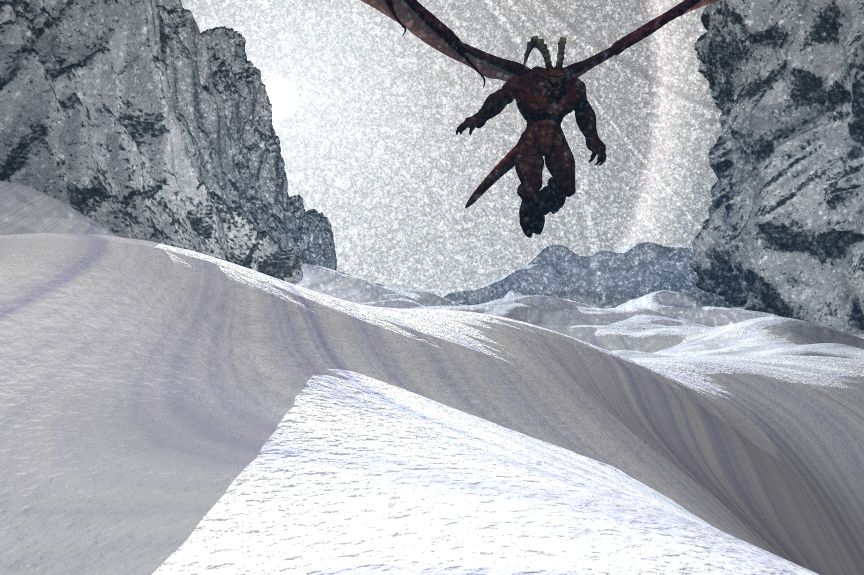
Ice Demon
Volumetric snow, 4 sphere lights. I forgot to render it with soft shadows. A tip for those who don't know: When rendering soft shadows use the highest setting for render, and I am not talking about rays per pixle. The snow casts shadows in my pic so using regular anti would take a week to render.
Loading unique views4,149 unverified legacy hits0.0 archived rating2007-03-26 added
Comments 5
A conversation around the artworkSign in to join the conversation.
Yes, Gat, you'll really need to get rid of those purple rays on the snow. The snow-material itself looks very good. The rough look it has (bump maybe?) levels up the things in my view. The rocks to the both sides also have a convincing material applied. But maybe you overdid it with the secondaries there. Those rocks seem a bit too bright. My suggestion will be to lower some secondaries' intensity here and there and add more snowflakes so the feel of incoming blizzard really shows its might.
, thanks. Yeh those are I don't know what, I couldn't get rid of them I think its just of the way the calculations for the snow texture are made. Because before they actually formed a plus sing.
Very nice setup. It appears as if the Nybras would head for the void at right. Good light setup - less for realism but more for dramatic. I wonder - soft shadows may be more realistic, but do we need this here? Though the volumetric snow looks quite good, there is a strange "rays" effect right of the Nybras. It looks as if there were light rays, but are actually shadows and it appears as if it were a crumbled cloth. Very odd.
. The only ambient is on the volume snow. No transp and no reflection anywhere. There is only the bryce default sun that you see to the left, it has halos for more affect. And 5 radial lights around the place. The texture on the snow is like that because I wanted to really show the contour of it and as if it was shaped by the wind. I did a small test rendering a small part on the bottom left: Regular anti; sun soft shadow, radial no soft shadows. Time: 8:03 Premium 16 rays, soft shadows sellected; sun soft shadow, radial lights soft shadow. Time: 1:53 and thanks for commenting, willl render a soft shadow version soon and upload it with the render time.
Very good lighting. I feel no ambient materials, just real lights, and it looks great. There are stripes, perhaps shadows of some sort, I'm not sure what they are supposed to be on the snow. I agree that 100% is the most convincing and fastest rendering soft shadow setting. The problem is that a single soft shadow light source is a fast render, but more than one and the render time gets nasty. It looks like you used 1 primary radial as the sun and three secondaries and the ambient. If you did render with soft shadows, would you render all four lights with soft shadows, or just the primary? Also, how far away is the "sun?" The further away a fake sun is the more realistically it will cast shadows, as the real sun is so far away. I really hate that bryce does not allow a radial to cast soft shadows when it's illumination has no fall off, as is usually the case with a far away light source that needs to cast consistent light over a large area. Basically, I think the scene would look great with soft shadows, but the time it would take may not be worth it. The scene looks great to me as is, considering the way bryce operates.