FROM THE COMMUNITY COLLECTION
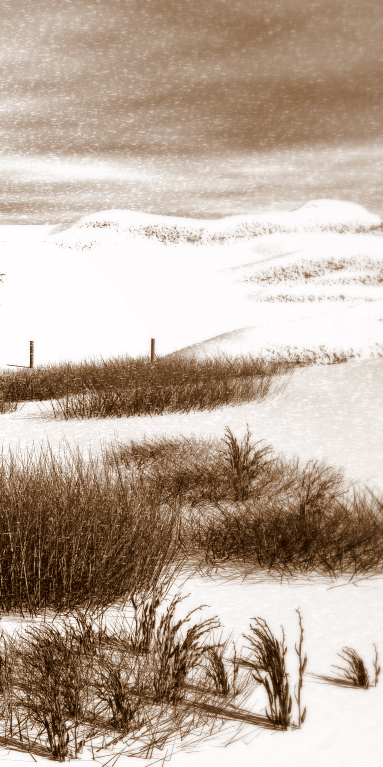
Winter Render with Postwork
Winter "quadrant" of the image with shadows and highlights adjustments in Photoshop CS2, and soft focus and contrast postwork in Picasa2.
Loading unique views5,305 unverified legacy hits0.0 archived rating2007-05-29 added
Comments 9
A conversation around the artworkSign in to join the conversation.
It's nice to be back, Rashad. I've mostly gone the way of Beansvision- though without his monumental talent- dinking around with ZBrush and Cinema 4D and all those things. Unfortunately, I'm back to be off again- in a week or so I'll be in a place where there's certainly no wi-fi. Icecreamman, I meant the layering technique. Though if I recall there are a number of good snow materials in the x-change, Frozencry's being my favorite to date...
LitoNico is back! I've missed you! Don't be a stranger around here in Bryce land. Icecreamman, check out the material exchange and you will find many very useful material created by David. He is exceptionally good at them. Nice work by the way with this scene. I like the post work.
Thanks, I found out about the Screen just before I looked here =). I have to adjust the weeds, it's much too obvious that they're duplicates. We'll see about the snow, if it turns out well I'll keep it, but I think it's probably close to what I want right now. Lito by "applying David's snow" do you mean a specific mat he has created or just use the layering technique he is talking about?
Returning from the mists of time... In Photoshop, it's called Screen. Or Linear Dodge, if you will. It's found in menu at the top of the Layers palette, next to Opacity. The image, it's excellent. I quite like the burned old-photo look, and the grass is beautiful. The grass at bottom-right seems to be duplicated copies, maybe a little Liquify could change that for the better. And if you apply David's snow, this will really come together.
In PSP8 you can set a layer to be "lightening" that way the snow being white on black, lightens the image under it but the black does not effect it. I don't know how things are in PS but I would not be suprised if it did not have a similar option somewhere.
If I were to render the snow as a seperate layer, I would render it on black and motion blur it in PS. Then I would... Magic Wand and delete the black? How would I layer it into the original scene?
Grass looks excellent with postwork, I still have reservations about the snow, but otherwise great!
* I like this work. I thinl it is the color scheme you used. I've seen places like this in Colorado. It brings back good ole memories. It would make a nice postcard. Great work.
. Darken the sky up a bit to add more of a dramatic look. Use a gradient to do that so that it changes gradually.