FROM THE COMMUNITY COLLECTION
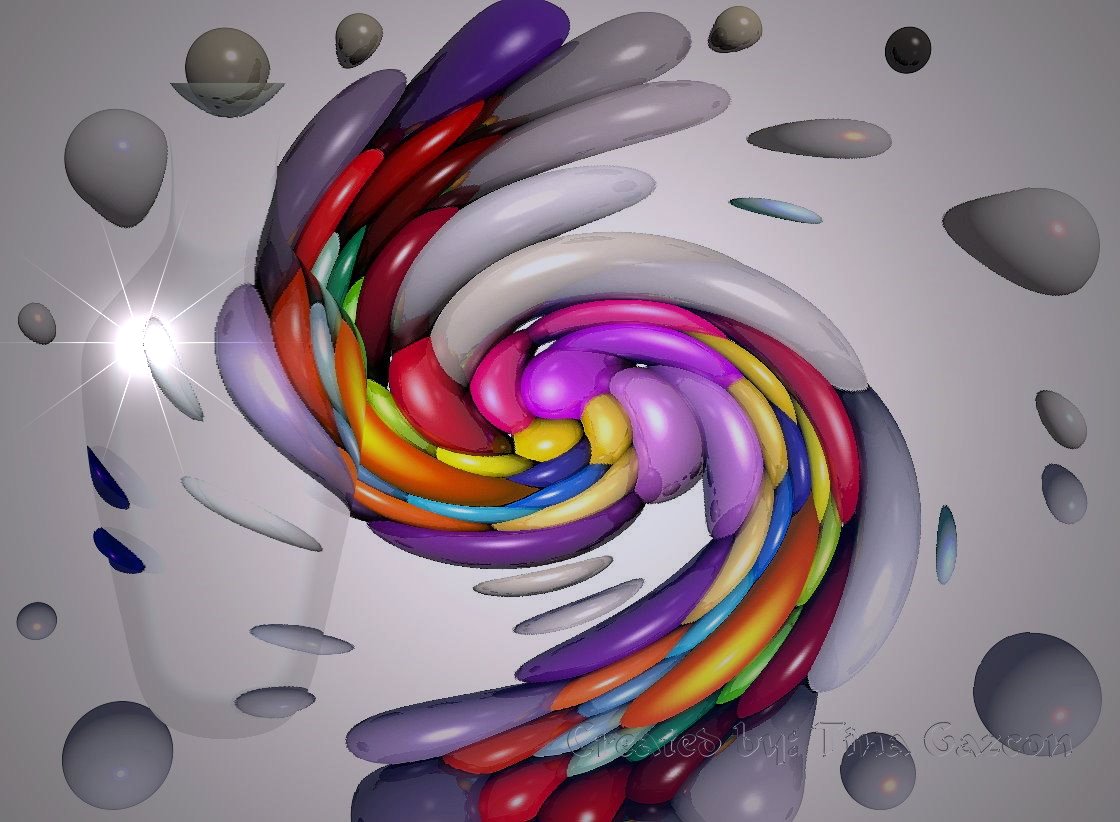
Crazy Art Thou 2
This is the same image I posted previously, just inhanced a bit. Let me know what you think!
Loading unique views4,631 unverified legacy hits0.0 archived rating2007-05-30 added
FROM THE COMMUNITY COLLECTION
This is the same image I posted previously, just inhanced a bit. Let me know what you think!
Comments 18
A conversation around the artworkSign in to join the conversation.
Actually, I save all my images as bitmaps and prepare them for posting in Photoshop because it has much better jpeg processing.
Gat and spektyr, why in the world would you ever want to save a render as a jpeg straight out of bryce? Even the highest setting in bryce is not as good as irfanview would be. I can see doing so if you are rendering an animation and don't want the file size to be too large. But if maintaing top quality is the goal, I would never save the file as a jpeg until I was ready to upload it. Jpeg compression reduces the unique color count by at least one third, meaning the image may "look" the same but it is far from the same when viewed closely. After working hard to get a quality render why destroy the hard work by compressing an image when it is not necessary? Just a question?
In the 'Save As' window it's the Compression drop down list at the bottom. You have the choice of Low, Medium, High and Max Quality. This is not as versitile as the controls Photoshop gives you but I guess it will have to do. ;-)
. bryce6.1
"spektyr I can't find the jpg quality setting, and its being bugging me for awhile now. " Which program are you using?
. spektyr I can't find the jpg quality setting, and its being bugging me for awhile now.
If I understand correctly, you import the image file and it doesn't appear in the preview box at the upper left? In other words you used the File/Open Image to get it into Bryce? If this is the case you would not see it in the preview box at the upper left and you cannot manipulate it further. That function is only good for viewing an image file. After examining this image more closely it looks like the swirl deformer is what caused the aliasing. This may be due to a low dpi (dots per inch) setting. I believe the default for an exported bitmap is 72dpi. It may help if you push this setting up to 300dpi within PhotoImpact. I'm not familiar with that program but it's under the Image Size settings in Photoshop. Give that a try and see how it works. One last bit of advice. When you save a file as .jpg choose the highest quality settings. Compressing too much with jpeg can cause what's known as artifacts, which is sort of a mild distortion, around the edges of objects. I can see them in this image. Let me know if this is of any help. Ok?
Thankyou. I believe I have it now guys. Now to put it to some use. Thanx again for all the input and help. You guys are really GREAT!!!
hmm Do not call yourself illiterate. You are venturing into new territory. Wise persons know when to ask questions, it is a fool who assumes without double checking. No worries. I hope to be of help but sometimes good intentions can lead a person to hell. Let's see if we are on the same page. 1. The original scene is rendered in bryce. 2. The scene is then saved as a bryce6.1 scene file and closed. At this point the program will also save a bmp of the rendered image. It will look for this same image to upload into the render screen the next time the bryce file is re-opened. 3. Now the tricky part. Say the bryce file is saved as "Tina." You will have a "Tina.br6 and you will have a Tina.bmp both in your image folder. If you plan to add things to the tina.bmp in a 2d app, make sure that you don't destroy the original tina.bmp, becuase if you do the computer will not be able to find it again the next time you open tina.br6. It will find no bmp file name to match the br6 scene file name so it will give you just a blank white screen in place of the render you are expecting. 4. All hope is still not lost. You can use the import image or open image option to load the version you have saved, being the one edited in photoshop. Basically, just make sure you change the name of the version edited in photoshop so that it won't copy over the original render of tina.bmp. If the bryce file is named tina.br6, then it will load any bitmap named tina.bmp, regardless of if the render has been edited. What's in a name asks Juliet?... Everything, answers Romeo! Plop render is a feature that allows you to render just an area of the screen without rendering the entire screen from scratch. It allows you to trace out boxes and render only what's within those boxes. I haven't looked at a manual in 5 years but there must be something about it in there. It's a really great feature that can save alot of valuable time. Surely, the best person for all this technical stuff is Horo, as he has a very effective vocabulary and knows how to state things in ways that make them comprehensible. If you still have questions he will likely know better what you need than I would. Hope that helps. Later.
. Just click on the screen or the area you need to re-render and drag a rectangle then click the round button next to it, thats the plop render. I think this is a very good image, but what is up with all the noise!!! and unfinished/half finished and some finished parts, some partially rendered moved parts. Just hit the big button and let it do it's thing ;P lol
Thankyou! Thankyou you very much. Yes it helped alot. So when I take it out of Bryce to add other details from photoshop I don't export it? I save it in Bryce as I go just in case my computer goes on the blink. It's saved as a bmp image until I am ready to upload to this site. Where do I find a plop render? I am so sorry. I don't want to be a pest but even reading my manual I still don't get it. I am computer illiterate!
Whoa! Nice work Tina. As already mentioned the colors are great and the spiral effect is very nice. There are some pixelation issues that could be caused in a number of ways. Did you increase the size of the image or play around with the sharpness? These things can take alot away from the anti-aliasing of a scene. I think I understand that you are saying about not being able to get the picture back into bryce. I'll explain as best I can. First, if you render a file, save it, and re-open it and render some more, it will start the render over from scratch even if you have made no changes. The only time the render can "pick up" where it "left off" is when you have not yet closed the file. The exception is the render to disk option. This mode takes a little bit longer to render in general but allows you to pick up where you left off even after you have closed the file. Also, you will notice that every time you save a scene in bryce it will save a bmp or jpeg of the render. The name of the bryce file is the same as the name of the bmp. When the scene is opened it will search out a bmp of the same name to display in the render window. I always save finished renders as bmp so that there is no quality loss. Only use jpeg for situations where you need to compress the content, such as to upload to this site. Never copy over the original bmp, just save a copy of the bmp as a jpeg. In short, there is no way to pick up where you left off in this case because the final render has been changed. I would say to you that there is no need to do any of this in a 2d app. The bottle could easily be rendered in bryce instead of layered on top later, and it would look better because the bottle could interact with the lighting within the scene adding a ton of realism. I hope I interpreted your question correctly and I hope the explanation is useful. You may likely already know this stuff but I just stated it in case. Either way, the art in the piece is exceptional! Oh yeah, one more very important thing. You will notice under the "FILE" drop the option to load an image. I think it's called "open image". This is very different than the option to open a new bryce file. The "open image" option allows you to brung up any image you want into the render screen. You can then do a plop render from there is you don't want to re-render the entire scene. Does this make any sense? You seem very crafty and will surely figure this out. Ciao!
* P.S. Thankyou you guys for your input! I truely value them.
* I used a new program called Unlead Photoimpact 12 from Corel. It is easy and has alot of great features. Now what I was talking about above. I made the paint balls in Bryce and then exported the image to my pictures. From there I imported them into Unlead and added the wine caraf and the spiral. I did'nt realize I had to redo the AA. I tried importing the picture back to Bryce, but am having problems getting it to run. It shows the picture in the large box, but not in the little box on the top left-hand corner. When I try to AA it erases my picture and AA's the blank landscape setting instead. Help???
ME LIKE! This is great, Tina. How did you do that vortex deform? It's really cool! I could do a lot with an effect like that. ;-) As Horo has mentioned, this would look really good with the superfine antialiasing turned on. "So how do I go about getting back to Bryce? I've tried just about everything and the image won't come up on the little directors box. The file came back to Bryce. ??? " I'm sorry but I don't understand what this means. Can you explain more precisely what problem you're having? Either I or one of the other nice fellows here would do everything possible to help you. :-)
* I didn't relize that I needed to do that but you are right. It does need it. So how do I go about getting back to Bryce? I've tried just about everything and the image won't come up on the little directors box. The file came back to Bryce. ???
Beautiful, just beatiful. I love these colours, the forms and the almost fully transparent bottle. Good light. The only thing that disturbs me is that it appears that it had not be rendered with anti aliasing enabled. This is really a pitty. Even if the render takes many hours, this picture would be worth the time to wait.
* Sorry! This is the only image. I scraped the first one. It was'nt very good. :^)