FROM THE COMMUNITY COLLECTION
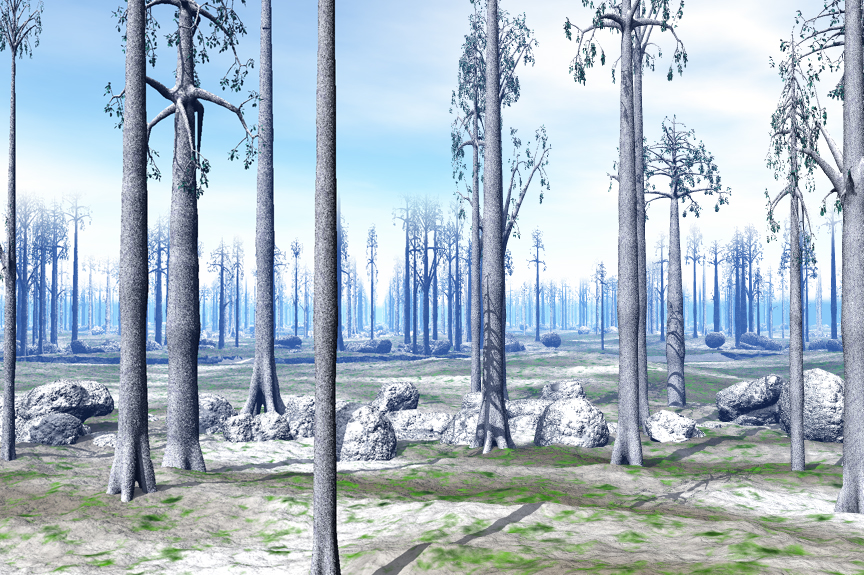
AA IBL test "Morning Fog"
Again, two images on the left and on the right, same size, the only difference is that image on the left took 40 minutes to render and image on the right took 58 minutes to render. 31% increase in speed :D However, note that the speed is related to the fact that image on the right had to do lots off AA, while image on the left was rendered at 2X resolution and scaled down. Thus, image on the left has more detail. Like small branches and stuff. But rendering images that have very little AA to calculate is best done the usual way.
Loading unique views4,093 unverified legacy hits4.0 archived rating2007-06-02 added
Comments 4
A conversation around the artworkSign in to join the conversation.
. I think that there is much to benefit from this idea, for example; try rendering water+volume material+IBL. AA on an image like that would be huge. And I know about how to turn off AA, the problem is that it would only work for volume materials, as for objects it will leave the edges UN AA. I used faded mirror material for this, which as Dave pointed out would explain the repetition, and the faded trees. Very useful material I got to say :D By the way check out the forums, the contest thread. Well, am off to making floating ice using metaballs, bye bye!
http://www.bsmooth.de/BSolutions/#Antialias is the link to the bsolutions site on how to toggle object specific AA on/off. As Rashad indicates this is a "well hidden" feature. It looks like something akin to the fade mirror material was used to create this image - judging by the repatitions? There are one or two "floaters" in the scene but I guess that is not the point of this image, so I shall not be too critical. The idea of doing away with the AA is very tempting, particularly if you are familiar how much longer the AA pass takes when using IBL. So I've got to say that this is a very interesting experiment. I like the idea of being in control of the AA since there are occasions when I feel that the image has in some respects been degraded by the AA pass - on the whole though, it appears to benifit. If I had control I suppose I could tinker with the filtering and then with the final compression and maybe squeeze a little something extra out of the system. It will be interesting to find out how many times larger the image must be rendered to equil the percieved resolution provided by the AA pass. I would guess at least 3 in each axis...
Good example. I think I'll have to do some serious tests myself, too. And yes, I like the picture, it has some of the vastness of a remote place to it. Nice boulders, too, and I don't ask how they came here.
Interesting experiment to say the least. The unanti-aliased version is more crisp, an effect that works for tree bark well enough. Double check with Horo or David but there is a way to turn off the antialising of specific models during render. It is a very hidden feature that I have only stumbled upon accidentally but Horo knows how it is actually done. It involves something clicky with the A for attributes. For my money, the anti-alias is always better for the scene in general, though individual things like tree bark might look better without anti-aliasing. Rendering at double size can be a long render, though anti-alising is usually the longest part by far of any of my renders. I'm curious about what Horo has to say on the subject.