FROM THE COMMUNITY COLLECTION
Chameleon
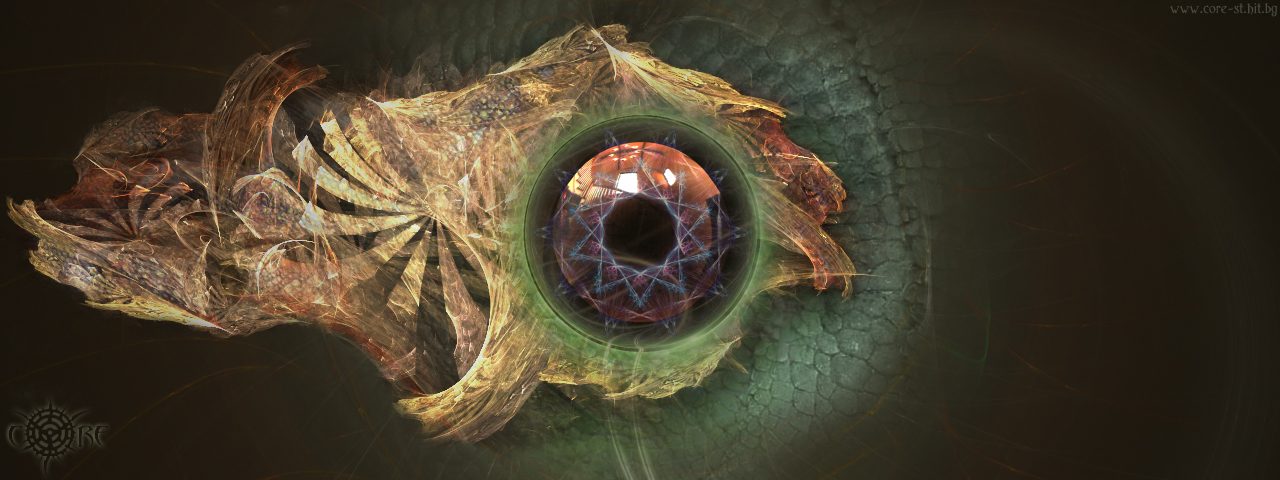
An abstract-passionate piece of mine. It consist of a bryce premium render 256rpp, some apophysis renders and chameleon skin from google, later manipulated/mixed in photoshop. The reflected hdr image is "probe_foyer_final.hdr". The actual bryce render was with this resolution and having no shadows applied, the render time was 1h30min. A little tip for those who want to use apophysis to make texures is to render out an image with *.png extension. Png-s support transparency and bryce imports successfully such images as 2D planes, where only the Apoph. "flames" are visible and the "black" (or whatever the background color you've chosen) stays transparent. Exporting from apophysis as *.bmp, *.jpg and alike will make all parts of the render visible. This was the case with "Deflection", but there I wanted the floor to have a background blackness.
Comments 10
A conversation around the artworkSign in to join the conversation.
Well, if you were thinking about a chameleon held in a house, richter, the HDRI you choose is perfect with the windows in the upper floor and the light.
Hdr is fine as far as I'm concerned, I thought it fitted in very well with the "star" inscribed within the eye. Just a matter of taste I suppose?
Thanks, all of you. Anyone who wants to have it printed, well, have fun and hit the print button :), I'm glad you liked the Chameleon. As I said google.com could be very helpful source most of the time. The skin around the "eye" and on some places over the yellow-ish element is sampled from 2 maybe 3 chameleon pix. The apophysis renders are 3 - one for the background (fundament of the eye and sides of the picture), 2nd within the eye (10-sided purple star which is *.png) and the third final render is the yellow-golden thingy for the overall shape. Icecreamman, in p-shop I used layer transparency and the eraser tool with often changing the opacity and flow percentage of the brush so each layer can blend well enough with the others. So the HDR seemed to bother you. ok.. I was thinking of a chameleon held in a house or an apartment. So imagine that our little fellow is out of his cage for a walk, and a room is most probably to be reflected in its eye. Of course, from an artistic angle of view I could've chosen different probe, but the effect will be different also. Who knows, I might try something in the future..
No doubt, you are "the man!" Great as usual.
Thanks richter for the Apophysis primer about using png. That knowledge will certainly save me a lot of head scratching once I actually use the program. This is another exceptional picture of yours. It has a bit the look of a fossil. The eye is beatiful but as gat said, the light probe reflected in it was probably not the best choice. Nevertheless, this one is well worth a fiver. The composition is great and the colour choice fantastic.
. looks like an eye fo an dragon, very nice work, would be nice to use a more interesting HDRI that looks like flames or something and not like a regular room. 5/5
Wow! I love this piece! ALOT! How imaginative you are. Cudos for you. It looks like an eye from a lizard or dragon. Awesome! 5/5 all day. : )
five Are you going to print it? (glossy paper, big format), I think there's more people that would hang it on their walls..
That's amazing. Very artistic and complex. How much of this was done in Photoshop?
Wonderful piece. I have no idea what it is, but I'd hang it on my wall! Organic, three dimensional/layered effects working well - can't really find fault. 5/5.