FROM THE COMMUNITY COLLECTION
Art-Expo 2007 '
Redo. I changed the bitmap file in my photoshop instead of paint. It came out a little clearer. Thanks for the advise.
Loading unique views3,957 unverified legacy hits4.3 archived rating2007-08-14 added
FROM THE COMMUNITY COLLECTION
Redo. I changed the bitmap file in my photoshop instead of paint. It came out a little clearer. Thanks for the advise.
Comments 13
A conversation around the artworkSign in to join the conversation.
The eye has limited capability to perceive brighness and darkness side by side. But looking at the dark parts opens the pupils and thus the dark is perceived brighter and more detailed. Equally so for the bright parts, the pupil narrows and dims the light that hits the retine and thus details can be perceived in the bright parts. The brain combines this - performs sort of a tone-mapping. Great artists could/can do this using paint and brush. A camera could never catch this dynamic range of light. Either have a burned out bright part and detailed dark parts or have the bright part detailed and a black blotch. Only a painting can have it both ways, as the eye/brain conceives it. Though physically wrong, it appears true to the eye. And that is what counts. With tone-mapping an HDRI, we can now approach the possibilities a painter has had for hundreds of years. Keep using your eye, Tina.
* I myself use my eye. I don't take very good photos as you can see here! I guess a photographer would do it differently. I have been a painter for over 30 years so its hard to change my perception. I don't even know how to work the camera on Bryce. I seen you guys talk about camera angles and such. How do you see your images? And why?
. Thats the interesting thing, when you make an a scene do you try and simulate what the camera would see or what the human eye would see.
Ah! I did indeed! It almost seems as though you are talking about the matrix. I should probably read more. Thankyou for your interpretation of guile. Ha, ha! : ) p.s. I like yours better than the dictionary's!
solutions Finding answers to knotty problems. In an "ideal" 3D package, we would build the scene and set up the materials and the renderer would simulate the light - in Bryce, this simulation is not perfect. Also, no matter how good the render engine mimics light, an image is as much about human interpretation as it is about physics, what is "out there" - is not really that at all, - there is something out there, but the objects we percieve are in fact inside our brains - we see what we want to see, or at least what we have been "trained" to see. So, for example, in a scene with a dark foreground and a bright sky, the "viewer" would percieve detail in both that the camera would not because either the sky would be burned out or the foreground shrouded in darkness - we are getting into the realms of dynamic range and tonemapping here. Essentailly, everything is a lie, just some lies are better than others, more acceptable. So use guile, to make the image fit what we think we are seeing, rather than what is actually there - and not only will it look better, but people will believe you have captured the truth. (People find the truth far more palatable if it is a reflection of what they already believe to be the case (even if that turns out to be a lie)). Well, you asked.
Guile? David I had to look that one up. Who exactly were you pertaining to? Ha!
Alpha... When you load in an image to be a texture component of the material you are presented with three "frames". The leftmost is "the image", the middle is "the alpha channel" (which appears in greyscale) and the rightmost is a combination of the two (which is often unhelpful and can be ignored). The greyscale alpha can then be used to control what is normally controlled by the sliders on the left hand side of the materail lab screen. Advanced users might want to consider the role "alpha scaling" has to play in this - but at the risk of confusing matters I don't want to introduce too many things to consider all at once. If you send me one of the images I can turn it into a mat for you and post it back as an example. Using that as a pattern it should be fairly clear how to generate more of the same.
* What is the alpha channel??
. yeah, this is much better the image is way sharper and no artifacts. a really big difference
guile One trick that sometimes helps. If you use a picture and want to add contrast, take the pic image and copy it into the alpha channel. Then set the ambient channel to be the pic and the ambience control challen to be that texture channel also. After this set the sky ambience to white (making sure that none of the other mateirals in your image have any ambient response). The result of this little tinker will be to create a high contrast version of your pic image in your scene - the raw facts are that some parts of your pic will in fact be aglow - but don't loose any sleep over that so long as the pic is lit properly, no one will be any the wiser!
* Thankyou Horo! Ha! Ha! Sorry I did'nt think anyone would miss it! Thankyou also for the good laugh : ) ! I understand what you are saying about the washed out look of the paintings. They actually look better in my pics folder. Maybe I used too bright of light? I try to stay from artificial ambience. Thanks for all the good advise.
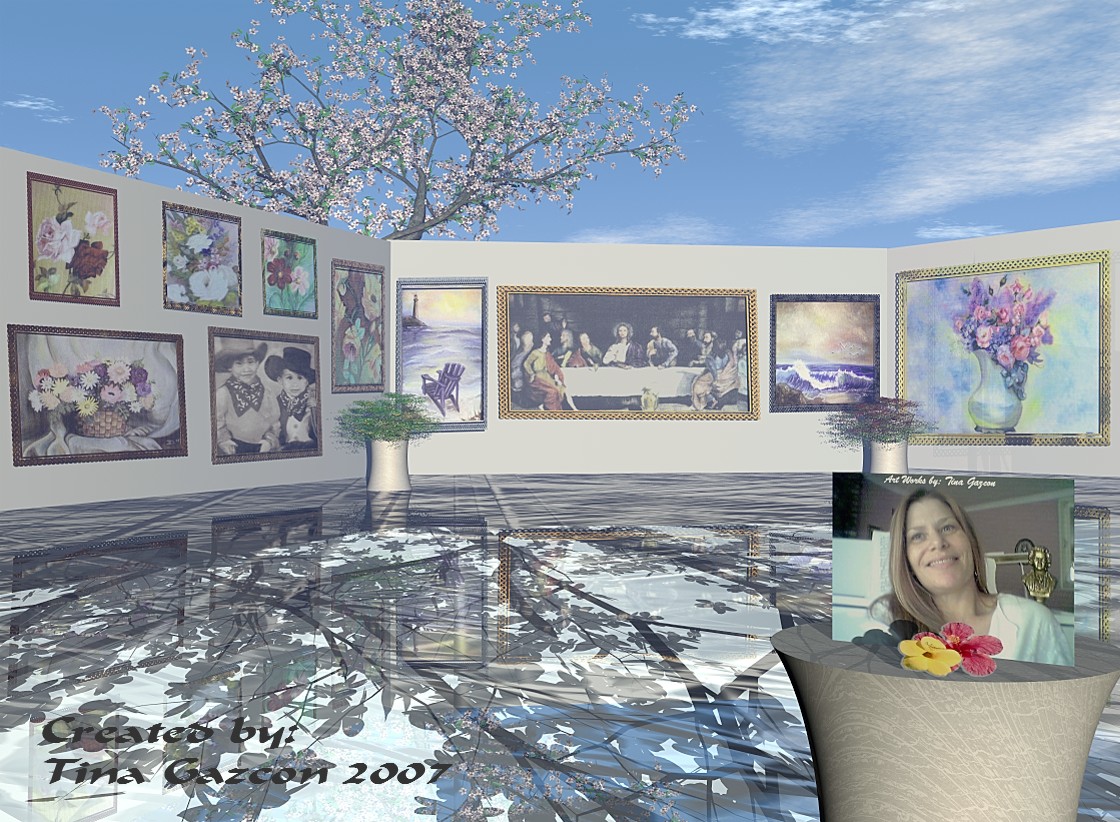
The contrast of the foreground and the floor up to the wall is deep, the paintings lack that contrast. In my experience, haze is probably not the problem here, rather the need of more ambiance (there are a very few cases when Ambiance is needed) - or separate radials. The Abendmahl-like (Leonardo da Vinci) picture in the centre has the dark parts washed out. Using "billboards" in Bryce is straightforward but the caveats are lighting them. You might need to experiment with this to explore the advantages and limitations. It appears that the earlier version disappeared along with the comments, I cannot find it anymore. So I repeat that I like the way this picture is set up and the personal touch to it very mucht. Since the old fiver is lost, I give you another one.
Well, it seems everything has already been said on the last image. But nevertheless, I would like to congratulate you on producing such an interesting scene with three distinct contrasting layers. To add depth and perhaps a suggestion that there is more, you could consider breaking up the display into separate units that overlap, giveing the impression of looking into an office maze decorated with artwork (such has been my lasting impression of such exhbitions). The lack of contrast in the images might be due to an excess of haze - or the placement of lights - or even ambience. Given the scale of the scene I would not expect such a loss of contrast in such a short space. Anyhow, an excellent image, gets my vote!