FROM THE COMMUNITY COLLECTION
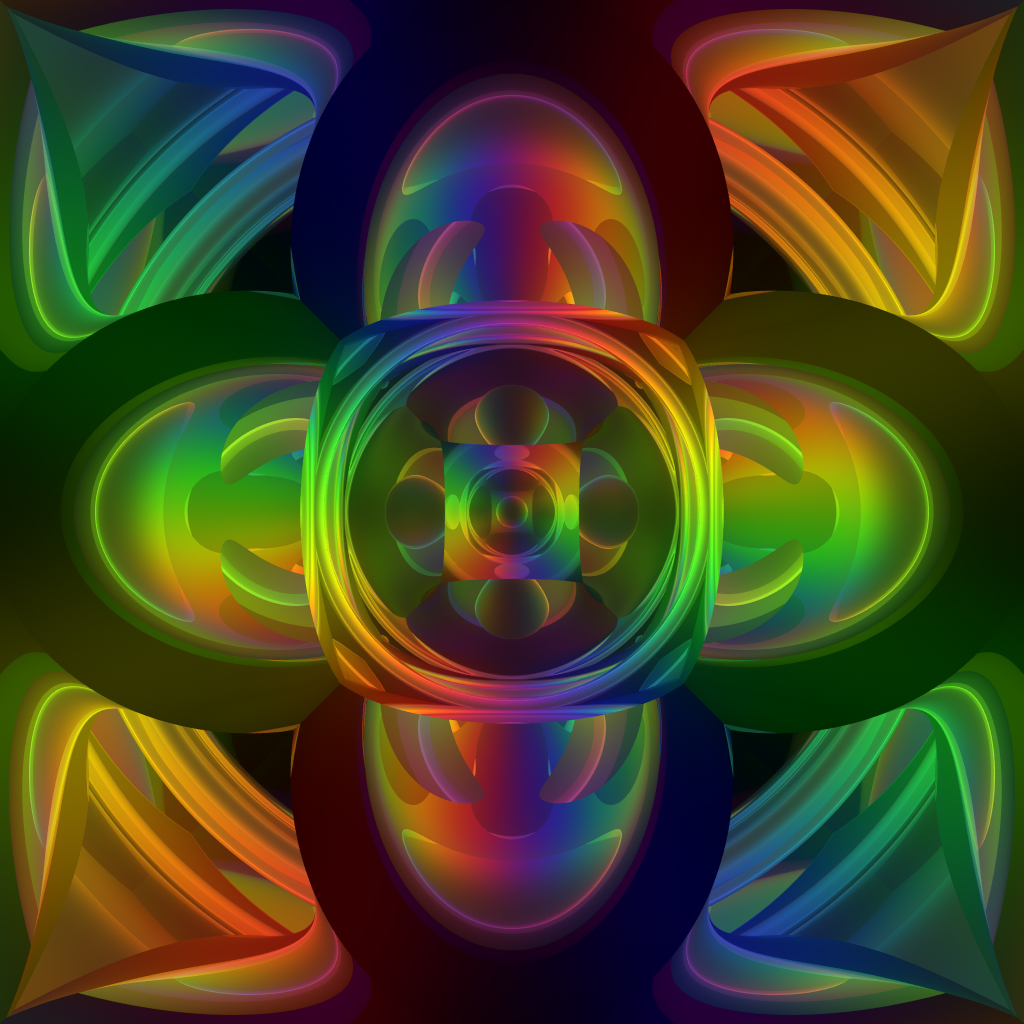
Rainbow Dimensions Version 3a
Here's a new one I just cooked up. It uses a brand new mirror box configuration using 7 spheres. This is the first time I've tried a non-poligonal mirror box. The results are quite ineresting. All comments welcome.
Loading unique views3,255 unverified legacy hits5.0 archived rating2007-08-21 added
Comments 18
A conversation around the artworkSign in to join the conversation.
Thanks David! :-)
Hurray! Well done Spektyr! Keep those grey cells firing - lovely image, well worth printing and one to be proud of. I see smiley faces in there... I guess that is the beauty of these abstracts. You get my vote.
Thanks Horo! Yeah. Sometimes the old grey cells are firing at peak performance. ;-) Actually it seems like common sense to me that redefining the dpi without changing the overall resolution (resizing/resampling) only changes the printed size. If it becomes necessary to actually resize the image and keep the same dpi setting it is always better to shrink it rather than stretch it. Stretching will always degrade the sharpness of the image and causes aliasing (pixilation). I haven't experimented with minimum dpi settings and the corresponding print quality but it seems to me that a large print will not normally be examined minutely so, although a perfectionist would prefer it to be, it doesn't necessarily [I]have[/I] to be razor sharp.
I've had a lot of those dpi discussions - very hot and elaborate ones - and it is refreshing to find spektyr as one who has got it right. I use to have my pictures printed by a photo lab, which might be a bit more expensive but is on professional photographic paper. Remember that a slide is 24 x 36 mm (about 1 x 1.4 inches). A 400 ASA film has around 150 lines per inch and you can make posters 70 x 46 cm (27.5 x 18 in) with acceptable quality.
The DPI adjustment in Bryce is only for direct printout from Bryce. I don't see any adjustments for a rendered bitmap. The original network rendered bitmap for the above image is 1024x1024. In PS the default document size settings show: Width: 14.222 inches Height: 14.222 inches Resolution: 72 pixels/inch For a 4000x4000 bitmap I calculate the following: Width: 26.667 inches Height: 26.667 inches Resolution: 150 pixels/inch Resampling an image can effect it's quality, as we all know, so I'd like to keep from doing too much of that. I'm going to play with it and see how it looks at 24 inches by 24 inches at 150 pixels per inch. An even better idea would be to rerender it at 3600x3600 which would make it an exact 24 inches square at 150 pixels per inch eliminating the need to resample the image. It's a pity that Bryce has this 4000 pixel limitation. :-( New rendering 77% complete.
. I read some time ago that if you try to print a render that was rendered at like 90 dpi it will look awful when printed, it needs to be something like 150+ dpi. Bryce has that option, as well as any other renderer. Am just telling you this so that you don't end up waisting a lot of money.
Gat: My printer is a Canon BJC-8200. It can't print the size I want for this. Most of the proofs I've printed are 8.5"x11". I'm looking to take the file to a printing service for a large print. With a print at 150dpi I can go 2'x2' with acceptable quality. Rashad: Believe it or not that's just the way it came out. I didn't do anything special to achieve that effect. Here's a link to the .br6 file so you can see just how it was done: http://rapidshare.com/files/50608209/RainbowDimensionsV3a.br6.html Keep in mind that the image is generated using the Camera. BTW, Ignore the sky settings. I don't remember changing the colors but they don't apply so it doesn't matter. ;-)
Part of the effect of this scene is the haze effect. What a great choice. How did you do it?
. don't forget to print at a higher DPI necessary for the printer that you are using.
At 4000 it gives me a comfortable flexability for resizing. There are a few places here in NYC that will do large format printing. As far as a frame goes there are custom frame outfits that will accomodate practically any dimensions and offer some nice modern styles. If all goes well and I get my SSD approved my retro will give me enough to have several copies made and framed for sale (not to mention set me up with a few fast systems for my render farm). This one is attractive enough to pull in buyers pretty quickly and I could end up making a nice profit on the copies. I'm leaning towards 2'x2' or larger. I'll see when I have the cash in hand. ;-)
Yes, I agree! This one is a flawless render. Good that you applied the AA this time :). 4000x sounds great, way to go Spektyr. Now you will only need to find an appropriate frame for the "Rainbow Dimensions".
Thank you Rashad and Horo! Yeah. The more I look at this one the more it grows on me. I'm going to render it at max res (4000x4000) for a large print for framing. This one has definitely got to go up on the wall. :-)
Awsome, this one beats all others IMHO.
Gorgeous! So beautiful. Love it!
Thanks Gat! This one is unique by virtue of the fact that it contains 0% flat surfaces. Like I said, the results are quite interesting and makes me contemplate other non-poligonal configurations. In my mind's eye I'm gazing into an endless vista of ever changng form and color. I think I better look away before I get sucked in! LOL Timothy Leary, EAT YOUR HEART OUT!!!! LOL
. I think I like this one a lot for it's geometry, great job
Thank you, Caperh! I'm honored by your compliment! :-) I really can't get enough of these colorful abstracts I've been playing with. There are so many different variations. The more I work with them the more I amaze myself. I have to make some big prints and hang them all over the house. LOL
. I like the colors. it's a good piece of art, very nice work