FROM THE COMMUNITY COLLECTION
3 Characters 2
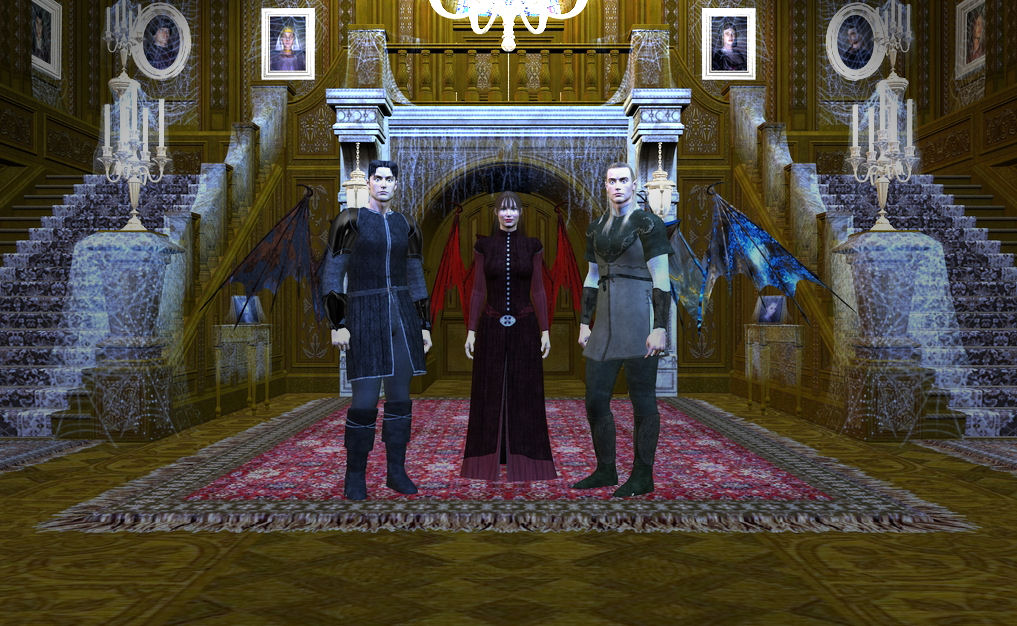
Here is the new render with the Haunted Mansion. I edited the pic with Paint Shop Pro 10, because the orignal render turned up too bright. I'm trying to aim for a moon lit scene, and I'm still learning how to edit and use lights in studio. Also I'm trying to figure out how to get shadows to show up.
Loading unique views6,565 unverified legacy hits4.0 archived rating2007-09-02 added
Comments 7
A conversation around the artworkSign in to join the conversation.
shadows I agree with David. The only real thing holding this back is that it is totally flat. Many images suffer from a lack of dramatic lighting. Were the characters rendered as part of the scene or added later? They should be rendered with the background if possible. Realistically the light would mostly come from directly overhead if the chandalier was on. This might not be what you want. Of course the interior lights could be off and the moonlight could come through a window and cast shadows of the window frame on them and or the floor. Just a thought. Also you could try a few different camera angles and get closer to the figures because the costumes are cool.
Very nice background choice. The detail is most impressive. I just noticed that both males have the same face with different hairstyles. So much for my attention to detail. LOL The lack of proper shadowing make the characters look sort of flat, otherwise the scene is well arranged.
Well Foxboy it isn't free anymore and I can't buy it right now. Oh well. . . later maybe.
I am hard at work trying to get this scene to where I would really like it to go. Trying to figure out how to move things around and into the character's hands. I would love to have the male on the right holding a lit candle, but I don't have a flame model to add to the candle I have. Also since I can't import this scene into Bryce without a major memory issue I'm having a real hard time getting any shadows to show up. I will be getting the memory upgrade soon ( I hope) and that will help out a great deal. I am changing the character's poses and expressions, as well as working on the follow up scene, so you can see what they are looking at.
I think this will look very good once you've got some shadows in there. The gents on either side look a bit startled rather than sinster - but I won't be too critical on that point because a) that might have been the effect you were looking for and b) I know how difficult it is to set up expressions on these figures. Like I said, if you can get some interesting and deep shadows into the scene then I think it will really come to life.
I like both the characters and the and the background, but I think there back be alot of improvement in this piece. I know editing DAZ objects is sometimes very difficult (With the prices on some of them, they shouldn't) It wouldn't hurt to re texture some of walls and what not. maybe add a gloomy lighting effect or some dusty air. Play around with characters potions and camera angles. I giving it a 4/5, nice work.
This image is well on it's way to being a knock-out. The environemntal model provided by Daz is outstanding. You are dealing with what looks like an indoor scene, so to read that you are going for a moonlight seems odd to me, where is the moonlight coming from? Once you figure out how to make shadows fall, something I do not yet know of myself, this scene will feel more 3d. So far very good and keep up the inspirational work in Studio!