FROM THE COMMUNITY COLLECTION
3 Characters 7
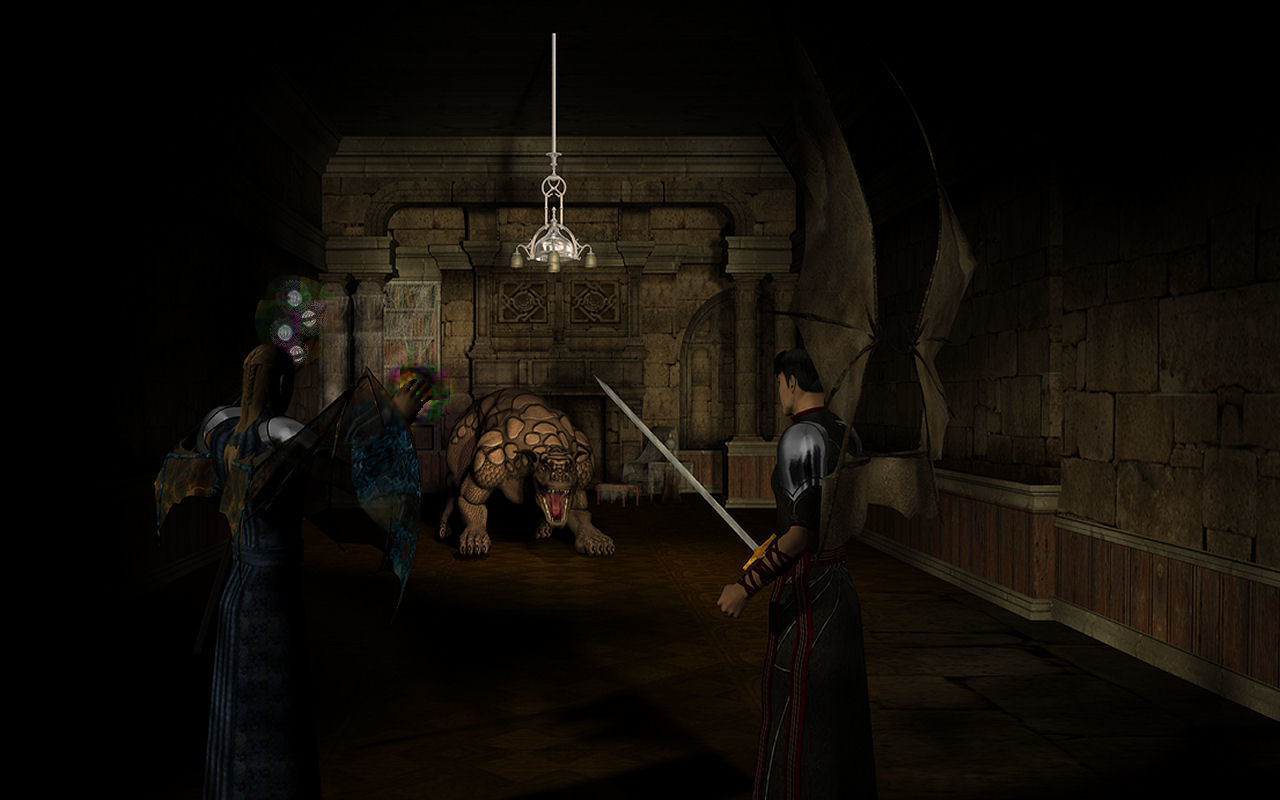
I added two of the characters getting ready to do battle with the hound. I know I would have been able to do better if I could h ave imported this scene into Bryce6. So I did some post work with Paint Shop Pro 10 for the magic glow around the staff andf wizard's hand. I guess I need to get more extra stuff from Daz when I can afford to.
Loading unique views6,010 unverified legacy hits4.0 archived rating2007-09-09 added
Comments 11
A conversation around the artworkSign in to join the conversation.
Their both men, and I chose the wing positions as one trying to make himself look bigger, ie the up spread wing position. While the other has his wings curled because he is casting magic. I am working on moving pice by pice of this scene to Bryce 6. It will take a bit of time with me being quite busy. I'm sure it will be a long render time. I would be surprised if it's under 4 hours to render the complete scene.
The wings on the male don't look like they are positioned right, not sure. Also he could be posed more dramatically - maybe flying. Agree with david on the lighting. The concept is very good and you got the tension across very well.
Alternative There is an alternative, the one I'm using when I want to use DAZ objects. Keep your scene in Studio. Select one complete object and export it. Repeat for the rest. Open Bryce and import the objects. You might have to scale them. You could also first open your new Bryce document and open another instance of Bryce, than import an object there. Scale and adjust it as necessary, than ctrl-x (copy + delete) it, go to the 1st instance of Bryce, ctrl-v (insert) it, delete it (!) and ctrl-v again. With the first ctrl-v, the object comes without materials, which is a known bug and ctrl-v twice is a work around. I have never been able to do something serious in Studio. Even though there is still potential to improve (lighting), I think you made a good job here.
Hey Alex. Can I borrow that sword for a minute? You may have to clean it off whan I'm done though. I don't think I'll be in any shape to do that for you. Oh never mind. With my luck an ambulance would be passing by and the morons would save me.
Thanks. Lots of good info, but I lack the paticence to do all that right now. When I feel up to it I just might do that.
. yeah I have to admit I did the copy paste thing too until I read a forum post. the wire frame thing was posted by RingoM I think.
Don't feel too cluesless David, I myself only discovered this from threads at Daz3d.com a few months ago. I too was a copy and paste guy. Another tidbit not everyone may know: when collapsing meshes the resolution of the final mesh is determined by the wireframe resolution setting in the browser. It is a very wierd way of setting mesh resolutions and it is not at all straightforward or predictable. In fact it just plain sucks if you ask me but oh well, at least we can export meshes from bryce now, however limited and screwed up it may be. It matters alot with complex meshes like icecreamman's boolean castle.
Hmn... you know I never knew about that break daz studio link! My strategy has always been to import an object from DAZstudio, copy it, delete the origional, go back to DAZstudio and get the next object and so on... I'd never considered importing a scene - then again, I'd never made a scene in DAZstudio. So I guess the question would never arrise. Very intersting, info.
. also, once you import objects to bryce save your scene, and then save as again under another name and delete all the unnecessary stuff like body parts under clothes, you will need to disable the link to daz studio first through.
Nice work. Yes Alex, you could do alot more with this in bryce6. I suggest importing it carefully, one piece at a time. 1. open bryce and then open a new file in Dazstudio. 2. import the model of the house only. 3. click on the return to bryce option. 4. now that you are in bryce, look under objects (on the same line as file and edit). In there you will see a button to break daz studio link. Click on that and it will break all associations with Studio. 5. At this point you should then save this house as a bryce object in your user preset objects folders. 6. Now delete the house in the bryce scene because it is already saved forever as a preset, you can retrieve it anytime you want. 7. return to dazstudio and you will notice that the house will disappear. Studio will accept the deletion made in bryce. 8. Rinse and repeat for all characters until you have all elements imported safely. I have found that I cannot export more than one or two characters at a time from Studio to bryce without getting an out of memory error. Remember that the human models are complex meshes themselves along with all of their skin and hair textures. Add to that the costume meshes and their appropriate textures. You can indeed export the scene to bryce Alex, the answer is not to export entire scenes, but elements of scenes. In this case the characters are dressed up alot so I would not try to export any more than one at a time. Every time you export one that you are happy with, break the dazstudio link and save it as an object preset in bryce for future use. This scene as is is going very well, but I know what you are capable of in bryce and it is far beyond what Studio can offer you.
The magic seems a little dark to me. I don't know DAZ but if you could put a light source where the magic is going to be to create the illusion it is lighting that part of the scene and then add on your postwork that might give it seem a more integral part of the scene. Also note, there's a snakydragony thing going for free at DAZ at the moment and a bundle of other stuff... but looking at the monster, the Dinokonda would not look out of place in your scene.