FROM THE COMMUNITY COLLECTION
Hi there
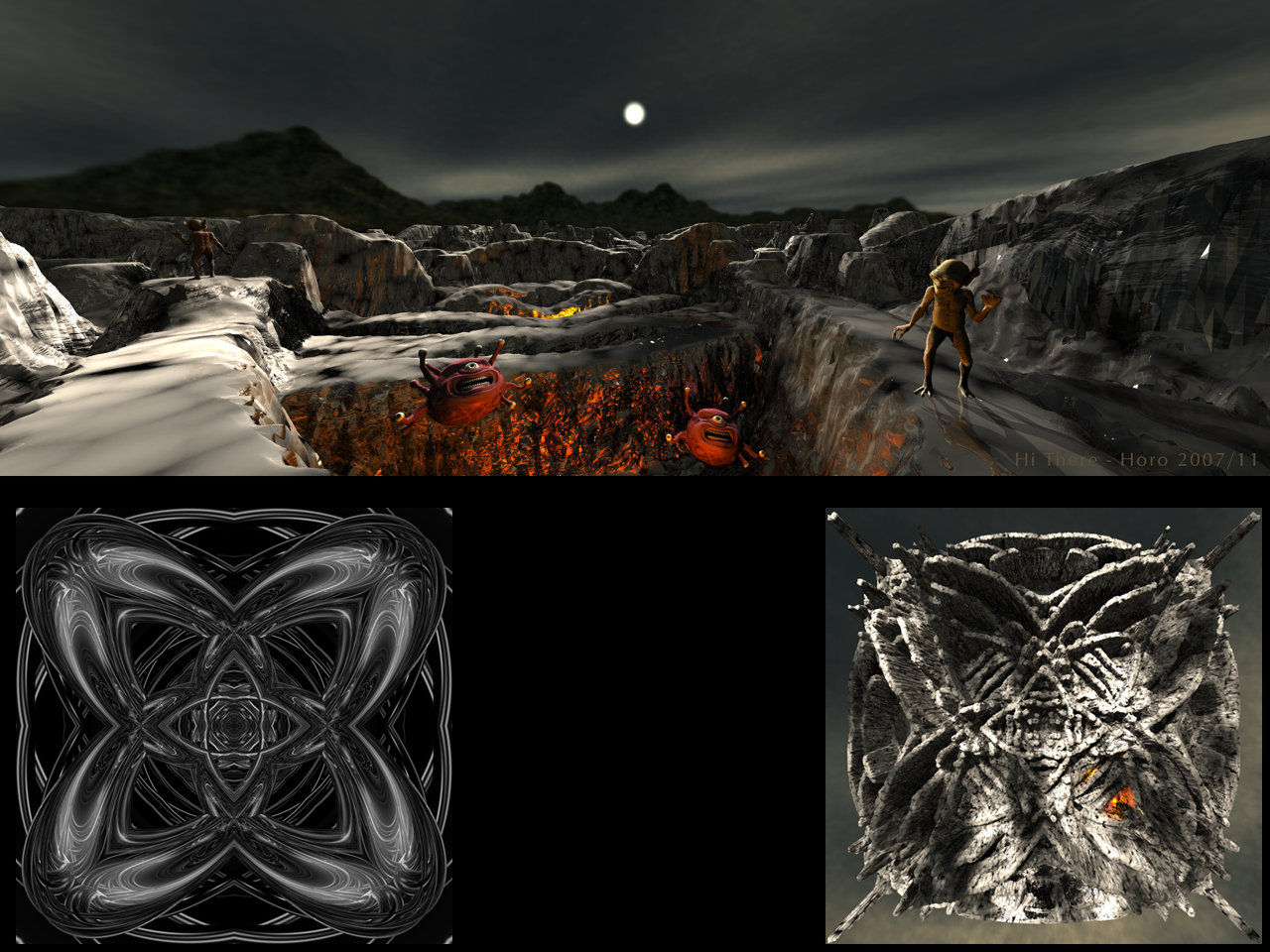
The Gazers and the Gremlins are from DAZ3D, the terrain was made from ?Unity 1? by Spektyr who was kind enough to offer his artwork in order that I could "take up the gauntlet". The terrain got David's IceCracks material, two radials were burried and the ground plane is a mirror. Lit by the GreenHills HDRI I once made in Bryce. On the lower side at left Spektyr's artwork (thank you!), at right the scene from high up to prove that I indeed used the monochrome picture as a terrain. I subjected it to a Gaussian blur with a radius of 1.5 pixels in Photoshop, in the terrain editor, I added subcontours and smoothed it further.
Loading unique views3,871 unverified legacy hits4.7 archived rating2007-11-05 added
Comments 6
A conversation around the artworkSign in to join the conversation.
Good job. The hdr backdrop blends excellent. At first I even thought that it was a part from the terrain itself. The blurriness of the backdrop could be corrected with the sharpen tool in PS. On the edges of the mountains use low percentage of sharpening. I believe it'll help. The blur btw makes this image to look like a photo with dof present and thanks to the reflective material of the terrain the image has this overall look of plastic ground model for toy-soldiers to place on. If I understood Gat's question correctly - everything works perfectly on Horo's img-to-terrain setup. The camera position and the FOV make the corners of the terrain to look stretched, while they actually aren't. If you raise you camera much higher than here and use a FOV lower then the default for the camera, you'll see the image zoomed, and with less stretched corners. The "tricky" part is if you want to render the terrain the same resolution as the source img; you'll have to play with camera height, FOV and document resolution...
I'm surprised to get a rating for this at all, thanks a bundle, folks. Now the original picture for the terrain is 1024 square and I left it at that size and I used only a small part of it so the jaggieness of the terrain is no surprise. The background mountains are blurry because they are part of the light probe used. This is the well known problem of using the HDRI as backdrop. I thought I might get away with it because the mountains are quite dark, but no, not at this size; I should have known better.
Oh very good! I knew you'd work some magic on it. To be honest, those Gazers look creepy to me. It doesn't look like they're smiling. This is just my opinion of course. 5/5 on the very creative use of Unity 1.
The fact that this appears to be a night time scene is really cool. I really like the way the light turned out, especially the hot red lights from the pits. I think Spektyr's image made a very nice terrain. I think this terrain could be used for alot of things. How ever did you come up with such an idea? For me it's a sure 5ver. I can see Daicvid;s point about the terrain resolution. but I feel it is something that only a savvt CG artist would notice, the average person probably would not notice it at all. Cool use of creatures and very plausible body language. I really like it when you use these horridly ugly characters in a way that makes them look like they are a lot of fun!
Aspect ratio, lighting, composition, subject - no issues, in fact, the only thing that I feel is a slight let down in this image is the resolution of the background image, which appears blurred comparied with distant parts of the terrain - and also - resolution of the terrain height map leading to geometric jaggies here and there. The backdrop blurriness I understand the issues and will not dock any points for but the terrain resultion... well... harsh - but that costs you a point. 4/5 Of course you may argue that that was the effect you wanted and in that case I sympathise, but I'm still docking a point. Good work - and the source image for the height map and rendered terrain from above is a nice touch.
. very cool! now, on the technical side, is it just me or is it that the 3D terrain object created from an image of the same size does not no where closely follow the same contours? Was it like that in 5.0? and 5.5?