FROM THE COMMUNITY COLLECTION
New Space Scene
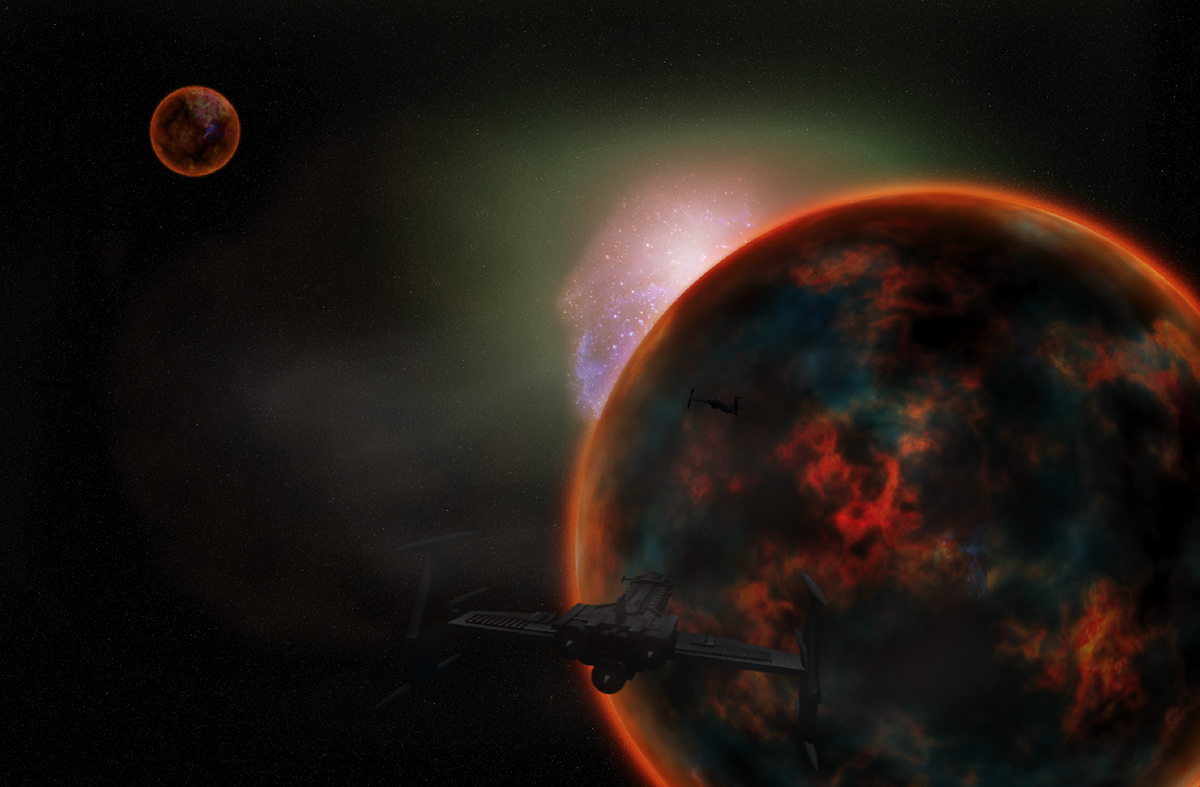
Same planet texture just different lighting. The smaller planet is a new texture and the ship is the same on from the last 2 pictures just a different view. (The reason for no engine glow is because they turned off the engines to save fuel and no reason to have them on when you are going in a strait line). The background was made by me this time, I think it is much better than my last attempt. The blue/red stars behind the planet are a Hubble photo that I changed a little. There is one visible flare behind the planet and one more over the larger planet to give it a better lighting. The large planet is two layers, one with the planet and the other with a blur on it that makes it a little darker and changes the colours a little. Comments welcome.
Comments 7
A conversation around the artworkSign in to join the conversation.
I think the tutorials could help him to create planet surface maps that he could easily turn into panoramas to create true 3d planets in Bryce. Connor if you were to take the planet drawing technique but instead of using photoshop geometric functions to make it curve like a planet, create the layers and keep the image flat. It should be twice as wide as it is tall. It should be a rectangular image to map properly like a map of the earth for example. You can then apply that rectagular image to a sphere in Bryce as a parametric and this will give you a truely 3d planet that can be rotated and this will make it more flexible. It will allow you much more freedom. You will use all of the layers in the tutorial expect the outer atmosphere layer, that outer atmosphere should be rigged in Bryce with a simple volumetric blue material that will allow you to see through it while providing an atmospheric glow.
It does look nice but I cannot fully appreciate your work because I'm trying to use Bryce only to create my artwork and a graph. app. only to trim it.
Again a very nice scene. I was thinking the same thing about the ships from the different ones you have shown with this planet.They really do not stand out. I think David made some good suggestions. A great looking ships like these need to somehow be seen in a more dramatic way. Thanks for the link.
Thanks for the tutorial link, they look very interesting, but tricky for someone like myself who rarely does much with paint packages. Your scene is looked most dramatic, but I think perhaps the space ships are getting a bit lost. I know you explained why they had not got their engines switched on, but perhaps some running lights to pick them out would not go amis. That's just a suggestions, the scene looks very good to me.
Thanks very much Connor. I do like the site alot. Not every tutorial online is a good one but I think the results of these tutorials speak for themselves. Very good techniques and seemigly easy to follow. Much appreciated.
rashadcarter1 to make the planet I took a picture of rusty metal from where my dad works, (I assume that any picture would work). I put it into photoshop and got a circular selection and add clouds. I recolorized them so they would be the red I wanted. After I flattened the image and sphereized it twice. It then looked like a planet and I changed the colours to what I wanted. In this picture and the last one I uploaded I copied the planet and added the gaussian blur and I think used overlay so it blended well with the other planet layer. The website solarvoyager has some of the best tutorials for photoshop. http://www.solarvoyager.com/tutorials.asp I think you will like the site.
The image is really nice. The planets look like they are about to explode. I think the stars might be slightly too dense again. Try to think of the render as a photo taken at an exposure. The longer the exposure the brighter the image becomes. Indeed there are billions of stars in space but at a normal camera exposure not all of them are visible. I learned this myself with the Forbidden Rainbow series. Anyhow, the ships, planets, nebuals, all of it works very nicely. I still have no idea how you made that planet look so good!!!!!