FROM THE COMMUNITY COLLECTION
Calm
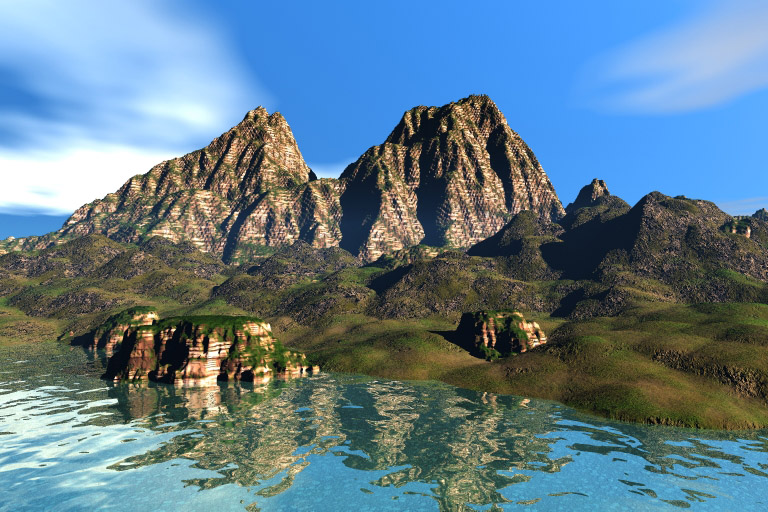
Yes I posted again and you might wonder if I ever watch TV but as you can see this is much more fun. I just fished David's tutorial on using a radial light placed out in the atmosphere with the sun and wanted to show the results. If anyone is interested they can find this tutorial on his web site. I was pleased with the results from added the radial in line of the sun. It really made the picture much deeper and richer in color.
Loading unique views3,529 unverified legacy hits0.0 archived rating2008-06-02 added
Comments 4
A conversation around the artworkSign in to join the conversation.
Thanks Horo, I was wondering why the the HDRI. I did not put the connection together until you made your comments. I was wondering also about the blue spot. I was thinking the water plane should have extended out to this area. I could have increased the side of the terrain to hide it. The back terrain almost looks like a cloth texture so this would be my other quibble.
Very nice and high contrast. One feels the power of the sun and therefore, it doesn't look like Bryce with that weakling of a sun. If you want to brighten up the shadows, Rashad's suggestion to use a low contrast HDRI is a good one. Though lowering the shadow intensity also brightens up the shadows, the result looks flat while additional IBL light enhances the 3D feeling. One quibble I have: the blue sky at left looks like there was the sea at first glance. If the white cloud came closer to the ground, there would not be that ambivalence about sky and water.
I do like the way the lighting turned out and you are correct about the hard shadows I was focused on the color and the depth of the scene so was really not paying attention to the shadows. You have a much better eye as I really did not see much wrong with the sky but certainly am not against experimenting. Always interested in making improvements. I have been looking at your light rig and will contact you after I become more familiar with the set up. Thanks for sending it.
Bright sunlight to the rescue. With bright sunlight the image appears warm and realistic. Yes, using radials as the sun is very wise and works very well except for the soft shadows issue. I did receive your e-mail on sunlight rigging and I am responding now but in general you already get the drift from David's tutorial. It is important to match the sun in the skylab with your radial light position, this way the general sky will agree with the radial as far as sun position indication is concerned. If only the default sun was brighter. It seems like an easy enough request but Daz so far has not made any changes. They could easily add a "radial sun" option that would basically be an optional sun that was controlled just like a radial with soft shadows and all. It would render quickly and be very flexible and would give soft shadows with fast render times. Now you just need to play around with a skylight. Generally I think that Horo's moonbluegrey.hdri is a good skylight generator. The skydome is not a real dome but merely a spotlight so it is not reliable. Horo's moonbluegrey or any other hdri with a low saturation blue tint will work well as secondary light from the sky. The above scene looks good. Good work with the terrains and nice composition.