FROM THE COMMUNITY COLLECTION
Age of The Render Engine
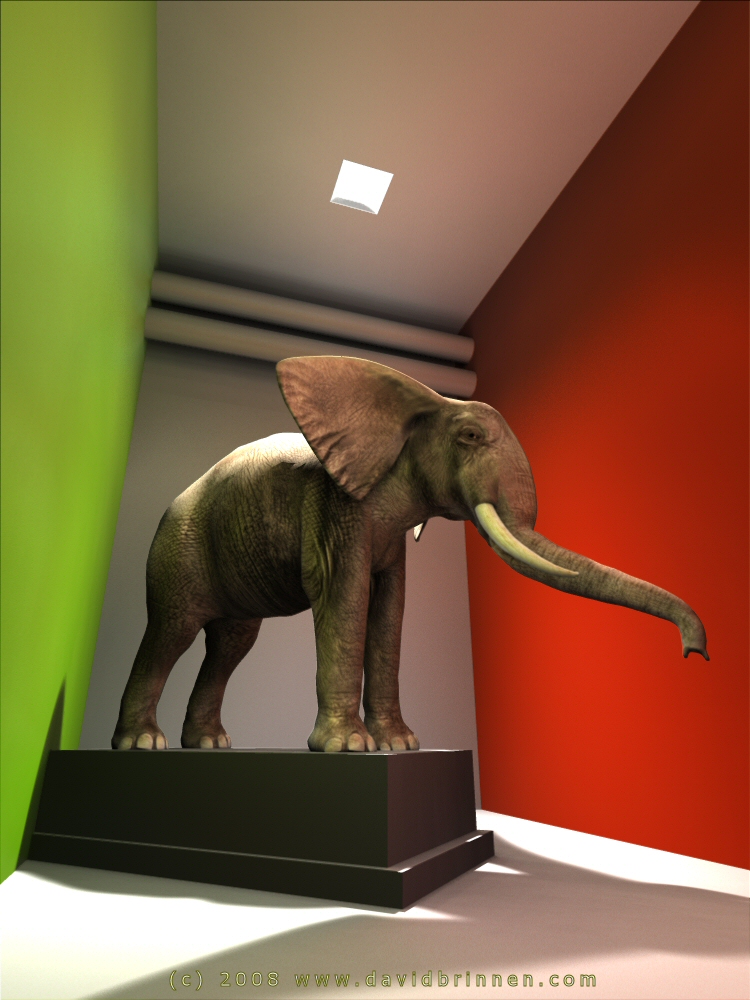
Dispite three power cuts. Ambient map 2 hours @ standard AA Reflection map 1 hour @ 64rpp Final render 1 hour @ standard AA Total aprox 4 hours render for complete project of final image size 750x1000 pixels.
Loading unique views4,771 unverified legacy hits4.3 archived rating2008-06-05 added
Comments 4
A conversation around the artworkSign in to join the conversation.
Yes we do! Absolutely. I'm working on a written method at the moment. The problem mostly is that my ideas evolve as fast as I put them down, each itteration brings to mind optomisations and potential fixes for shortcommings. Thanks for your vote of confidence.
I agree with Rashad that this looks extremely well. Apart from looking beautiful, I'm still not fully convinced that so much coloured light would be reflected from a wall to an object in real life. But here, we don't have a real size cue. You earned a fiver in any case if just for the ingenuity and your unabatted will to experiment. There is one great improvemenrt: the filter is in front of the camera, recangular and easy to correctly map - compare that with the fiddly and never really accurate mapping on the radial. The disadvantage is that the camera cannot be changed anymore. There is no possibility to move around the camera in the room. Admittedly, this is a small issue since we set up a scene and want to make the best of it. Moving around the camera would be an issue for games, and there, the other method would be better. Also working with a desaturated HDRI and partliy tranparent or non-shadow casting walls would work better in such an application. For game programming, i.e. animation, accuracy can be much lower because the beholder concentrates on other things and get the room only in peripheral view. In a still picture, however, we decide on the point of view and then get the lighting correct with great accuracy. The system with the rectangular filter in front of the camera is a good way to go. I haven't performed tests on this, yet. I wonder: do we need 256 lights to light the environment? Would a tenth - about 20 to 30 radials, strategically placed, not suffice? However - if I got your concept right, it is not overly complicated and it could be mastered also by users with limitted knowledge about Bryce if an appropriate tutorial was followed. After all, we want to bring GI to the Bryce users at large, don't we?
Thanks Rashad, and yes, I should have corrected the ground, it is overly bright. It should be the same brightness more or less as the back wall and the ceiling I think. I'm going to try a less artifical environment next to see how the system copes with a high density of complex textures and geometries. I know the simulation is not perfect, but considering how much simpler this method is to the light baking process and that the whole thing can be done in bryce without recourse to another piece of software, it does leave extra time and effort free to make adjustments in the final render which, as with the light baking process, fairly swift and the filteris are very flexible allowing a lot of room for subtle and gross adjustment of the finished effect.
It looks great David! Phenomenal even! There are a couple of places where I feel the GI simulation is still a tad incomplete. The white floor should be reflecting some light upward, in particular just to the left of the platform the elephant is standing on, that area is very dark and I would expect it to be a tad lighter because the floor in front of it is very brightly lit by the light above. Bouncing the colored walls is important but a white wall will reflect much more intense light than a dark colored wall. I would say generally that the elephant is a brilliant choice for this test as it has those wrinkles on the skin that make it respond very nicely to the lighting. The elephant looks more or less real to me. Love it. 5/5!!!