FROM THE COMMUNITY COLLECTION
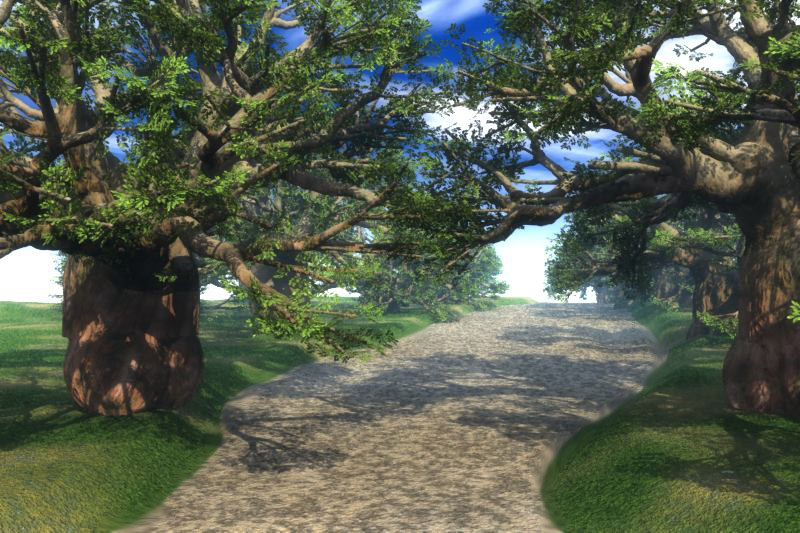
Tree Lane
I purchased Vue 6 easel which is an entry level program for E-ON products and this is my first attempt at putting together a simple scene. The shadows were set to 5% using an GI sky preset. The trees are called Baobab which came with the program and also used the preset materials for ground textures.
Loading unique views4,269 unverified legacy hits0.0 archived rating2008-06-12 added
Comments 8
A conversation around the artworkSign in to join the conversation.
Adrian, I just tried to save the tree as object and it will not let you choose any other format but (vob) which is specific to Vue. It could be their other programs do but not Vue 6 easel.
I like these trees, so is it possible to export them as an obj file? Then whe brycers could possibly have some fun with them!
I like these trees, so is it possible to export them as an obj file? Then whe brycers could possibly have some fun with them!
I do like the trees and the lighting and the program seems very easy to learn. But I am sure it gets more complex when you get into the more high end programs from E-ON. It is very similar to Bryce as far as the approach. You load a tree and then position it but you do have full screen with four views. The control duplicate is pretty universal as well as the undo command. I used two terrains just like you would in Bryce to create the pathway. I am not really use to the GI and AO sky presets but you can see the results of the GI sky in this picture. I also used Photoshop to blend the path with the grass terrain. I could have used real grass mat to have a much better scene but am still trying to get around in the program.
Nice trees. Vue is known to be a nice landscaper. Difficult to appreciate your work here because I do not use Vue.
Thanks for the comments. The Vue render engine seems to be working nice. The Easel does not have all the features of the other more costly programs from E-ON but it does have enough features for me to practice with. I am impressed with the lighting and the shadows but still need to find out how what happens when imports Daz models in a obj. format. The trees really do have big trunks but this is how there kind of trees look in real life. In this simple scene the render time was only about 10 minuets. That is not to say that the render engine is fast all the time it all depends on what is in the scene. I am rendering a water terrain with three ships which is going to be about 3 hours. So transparency slows things down along with any special sky settings.
Trees are better than the Bryce ones.Big trunks! Sky looks like a Bryce preset. Did it took a lot of rendertime?(all those leaves) Nice scene.
Great. The Vue render engine provides a nice finish to the image. I has a nice feeling of warmth. I like the GI and I really like geometry of the trees. The haze is really effective. The sky color is a little bit off for me but otherwise I'd say this looks really good. Nice work here.