FROM THE COMMUNITY COLLECTION
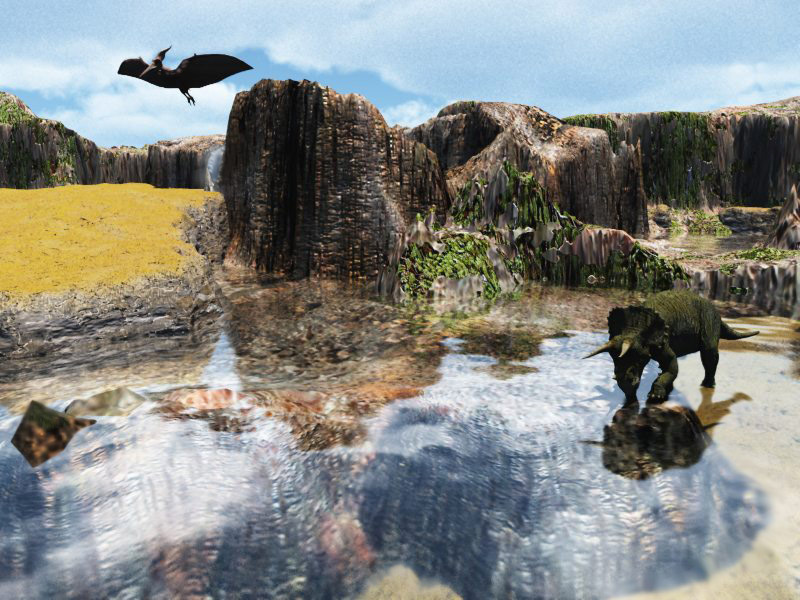
Pleasant Mesa
Done in Vue 6 easel Three terrains blended together all set at 1600 X 1600 on resolution. The render time was just over three hours. I used GI and a sky preset. The Triceratops and Pterodactyl are both objects that come with Vue. Created a small waterfall with Photoshop top left.
Loading unique views3,952 unverified legacy hits0.0 archived rating2008-06-16 added
Comments 4
A conversation around the artworkSign in to join the conversation.
Thanks for you comments and observations. I see what is being said about the scaling issue. It looks like I am still having a problem with tunnel vision I was concentrating so much on the terrains I did not think about extra lighting in the appropriate places. I am going to take my time on the next scene as patience is really a key along with some insight. When I first starting using Vue it rendered somewhat different than Bryce but I as was mentioned different methods are used in varying programs and I would not think that all have the same exact look. Rashad I see you have an understanding of the lighting affects in Vue. I just received Vue 6 Studio today an looking forward to learning the program. The new upgrades in this program have dealt directly with the very issue having to do with the testing that is being conducted on Bouncing lights. Thanks again and hope you don't mind a few more scenes done in Vue.
What I have found is that the Vue render offers a sort of "finish" to the render. In all honesty I find it to be a very good thing. In Bryce at normall AA often curved and diagonal edges are not smooth. As we all know the Bryce render is highly accurate in a pixel to pixel sort of comparison but it lacks that special finish or polish that Vue has. I have found the Bryce renders look good as video clips, but not as Hollywood film, yet Vue renders look good for feature films. Part of it is this "finish." That finish is probaly due to antialiasing or even depth of field assumptions. To a Bryce user this Vue fuzziness will appear as lack of accuracy but to a laymen the Vue render looks like a more natural human eye response to the light in the scene than what Bryce offers. It is a trick, but a good one. Renderman your scene is just fine as a beginner scenario. Bryce could easily do what we see above so the issue for me is not comparison this time, but more on the image itself. Scaling is an issue along with haze. The sky color si very good though slightly safe perhaps, lacking in brightness. Even in a scene with Gi you still might need to add a light source to light the underside of the flying beast. I really like the Vue sunlight, seems very plausible.
I see no reason why not. I can't put my finger on it precisely. Somehow, the finish on the vue renders is never it seems very precise - the lighting out of the box is clearly easier to use and quite clever, but as we know, there are ways and means to do this in bryce. Price wise, I don't know how it compairs with Bryce or Carrara?
Nice work. You're sure you couldn't do this in Bryce (except the sky)?