FROM THE COMMUNITY COLLECTION
Home Land Again
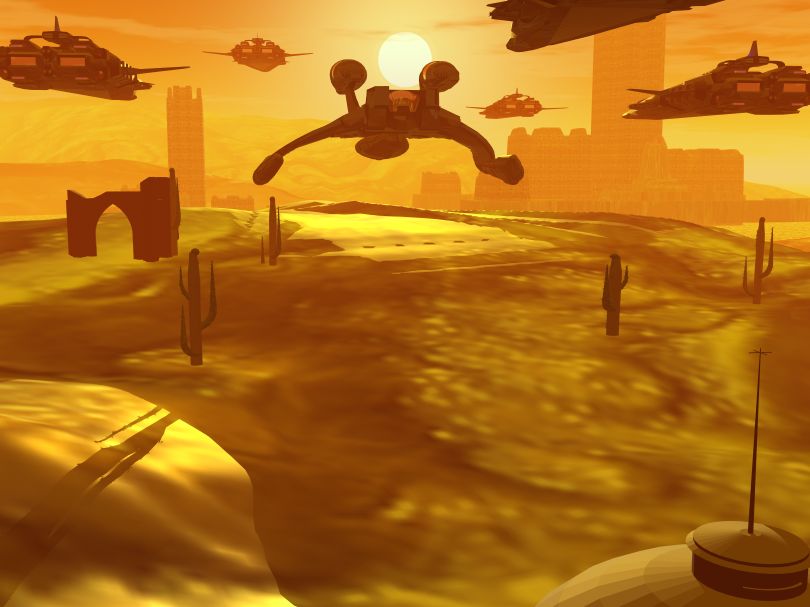
I forgot to change the document size lol and I changed the Camera a little bit and Removed some ships well i hope this one is better than the previous one
Loading unique views4,177 unverified legacy hits0.0 archived rating2008-09-21 added
Comments 5
A conversation around the artworkSign in to join the conversation.
The sky, sunlight color and the number of ships (this time), how high those are above ground - all of this creates a very good mood and a balanced composition. The drawbacks, some of them being mentioned above, you can work on and improve. I can suggest you a few things: (1st) The scaling of the objects is crucial for the impression of the picture. Scaling includes not only the object-size but also the object-shadow which is described by its darkness intensity and its softness. Make a copy of one of the spaceships and place it right next to a cactus. Now adjust the scale of the cactus making it much smaller and delete the ship copy. Resize the rest of the cacti this way and you're done with obj-size. Shadows - either you used very weak shadow intensity in your scene or there is a solid value for ambient in the terrain materials; there's even a possibility that some obj-materials don't cast shadows. So make sure to check these things, turn Off ambient channel of the materials and bring up the shadow intensity to at least 75% in the sky lab. After that you will probably lose a lot of the "detail" on the terrains in the shaded areas, but this is the more suitable solution, and, I believe, the more convincing and realistic one. The cacti and the ruins won't appear to be floating anymore. (2nd) Bump is essential, even at value 1, when shadows have to describe an object, very rare are cases when one chooses not to apply bump, the terrains here desperately need it, the shaded areas won't appear dark and flat (that is light angle dependent), they are probably to catch some rock detail because of the bump. (3rd) Materials/Textures. I'm not sure if your did it on purpose, but the material/texture on the terrain seems way too blurred, which speaks of the mat's low resolution. When using materials always be sure to scale them up enough in the material Lab and check the various mapping modes (parametric, object Cubic, World.. etc.), otherwise the result won't "impress" anyone, even yourself. A very important thing if you're using textures, is to make sure that the texture image resolution (by X and Y in pixels) of a given large 3D object is at least as big as your final planned render resolution. In your case the img res is 810x607. That means if the terrain has a tex applied, it has to be at least 810x810 or bigger. This will ensure a fairly detailed final render concerning the texturing of every single obj, big enough to cover the whole render area. Remember that. I hope the comment/suggestions don't seem too hard to follow, it is up to you to evolve the potential of this image!
Better this way, though you are not yet there. The cati have still a size issue. The shadow on front left suggests a gigantic plant. But then, if it such exists on this world ...
Looks great to me especially when compared to the previous. For me it is difficult to reconcile the vegetation with the ships, as scaling still seems slightly amiss. I do not think there is a solution, unless you were to create a field of rather small cacti. Seems to me that is what the scene "wants." The environmental yellow is very effective and as Connor notes, the ships are very well modeled.
` Nope they are just download Im still practicing Modeling tho
I like it, much improved. It looks less cluttered. Cool city too. Did you make the ships or were they downloads?