FROM THE COMMUNITY COLLECTION
The Room
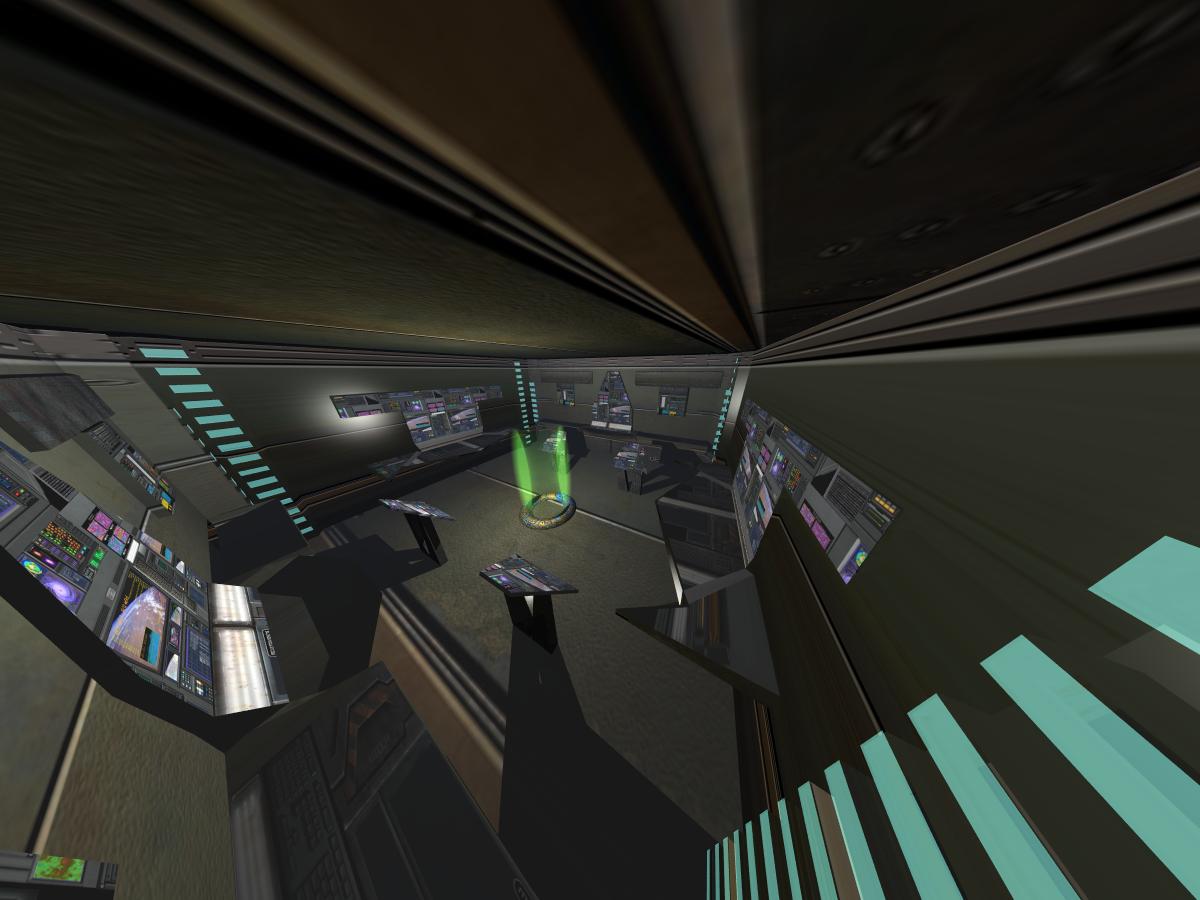
I made the room in Maya then textured it in Bryce. This is the view from the security camera. FOV is turned up all the way. Apparently the only way into the room, since I forgot doors, is the green transporter in the center of the room. This is the control room for the planetary defenses. I will hopefully make a new picture with some people in it. It is lit by one spherical light and the 'glowing rectangles' have the green glowing texture on it but it did not provide enough light.
Loading unique views4,346 unverified legacy hits0.0 archived rating2008-09-28 added
Comments 8
A conversation around the artworkSign in to join the conversation.
Thanks, I have the new version of this rendering now. Its been a while but so far it looks pretty good. Archclan I did not make the textures. I downloaded them and then photoshoped the text out. This is the site. http://www.art.eonworks.com/gallery/texture/Door_09-200009.html
` Very nice textures :D did u make them,?
Extremely wide camera angle and interesting position. I agree this could be a surveilance camera. The problem is that objects near the camera get not only very much distorted bit also the material/texture appears low resolution. At least hereabouts, mirror balls - or part of such - are used to create the angle necessary to cover almost all of a room. Alternately, you could have "fastened" the camera on the ceiling in the centre of the room and having the camera looking downwards. The reflection of the radial at the opposite wall is not very good. If you use only one or very few radials, you have to place them away from walls and objects. Of course, Rashad's suggestion to use randomly distributed radials is good. Perhaps you can do with less than 64, You have to experiment. I would still place a few visible light sources so the beholder knows where tje light comes from. And yes, kudos for the room, it is very nicely done.
I understand, mostly ( I have already read it more than once). Very interesting methods. Makes it so much fun. Thanks again.
Not long ago I uplo9aded an image of a Hotel room with some beds and lamps and wallpapaer, ring a bell? Anyhow, I was testing part of the GI tutorial where we fake the light bounce of an environment with large numbers of very weak radial lights. This is only to provide the indrect light, the direct light sources still must be there and still must be brighter than the indirect lights when added together. You want the 64 lights to be randomly distributed around the room. The reult will be soft shadows as each of the dim 64 lights will cast a shadow from its position, the overlapping dim hard shadows creates what appears to be a soft shadow. It is important to understand that the fall-off of the lightw must be either linear or sqaured, depending on the scale you are woking with. If one of the 64 lights gets too close to a wall or other model you can end up with a "hotspot", so Horo came up with the brilliant plan of using an inverse gradient. In the light lab instead of using the uniform color setting, chose to use the gradient and reverse the black and white poarity, this will cuase the light to express even light without an overconcentration of light at the position of the radial. You might need to read this more than once to get the full point but you have been around for all of these discussions so likely you already understand what I am suggesting.
I like this picture. It is hard to texture complex models, but You did it well! Nice job!
Ya the camera position was kinda hard especially because the room is really small. Just out of curiosity why 64 lights? I am going to try that now. Thanks! :-)
So far so good Connor. Transporters are cool so long as the technology never fails. I am not so crazy about this fov, but the camera working of Bryce can make it difficult to capture room interiors, so I fully understand why you have chosen this angle of fiew. This scene is a good candidate for the random cluster of radials idea as a GI light bounce. If you randomly replicate 64 lights with dim setting this interior could look almost photorealistic. With only 64 lights the render would be less than 12 hours. Not bad for an image like this, your model deserves the best possible lighting.