FROM THE COMMUNITY COLLECTION
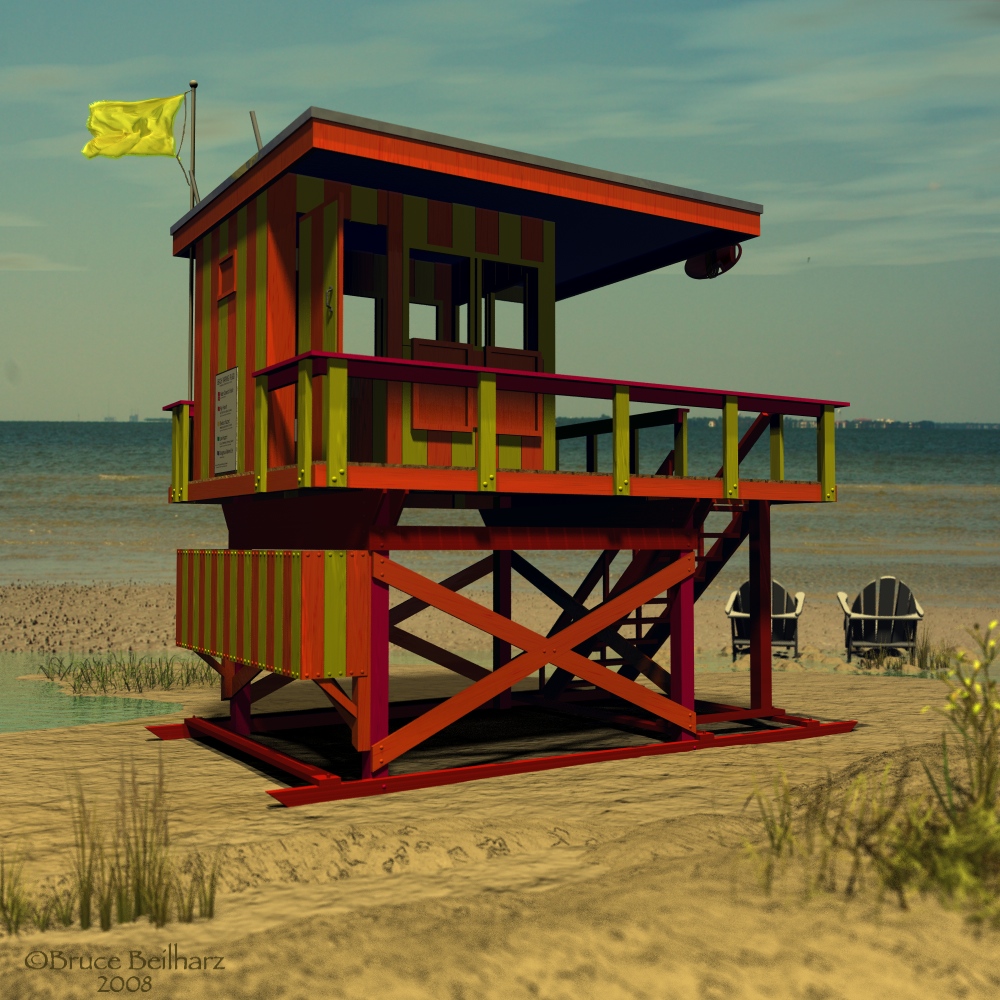
Lifeguard Station
Lifeguard station, life preserver and Adirondak chairs modeled completely in Bryce 6.1. Vegetation is Bryce presets. Photo backdrop by me. I used a small DOF setting to assist in blending the photo with the foreground. Simple lighting with selective shadows. Enjoy.
Loading unique views3,545 unverified legacy hits0.0 archived rating2008-10-28 added
Comments 5
A conversation around the artworkSign in to join the conversation.
Yes, I think Pro Render is the only way to use ambience with any accuracy. But the thing to understand is that when using Ta, the sky ambiebt color mustbe set to black to ensure that there is no "glow", when at this black setting the true ambience shifts from being a flat uniform glow, to being a dynamic blurred reflection of the environemnt, this is how it fakes radiosity. So when True Ambience isused properly there is still no glow, only reflection, and that is essential. Best wishes.
Thank you all for your comments and crits. The two things that gave me fits on this scene were the ceiling and the flag. The ceiling was the most difficult, in trying to light that, it put physically impossible lighting on the interior of the room regardless of how I rigged the light or what type of light I used, it really aggravates me after the amount of work I put into this scene. The flag is a terrain, I still am not happy with this, but that is why I posted it, for some feedback, and I have already come up with ideas to improve the scene. I have found that objective eyes can help me more than my own. Thank you all for your support.
Evil ambient, isn't it :) You can turn it to your advantage, you know. For that... in a moment. First of all - very good modeling. Good thing is that you pay attention to the details such as the round bolts, the door-handle, the sign with different flag coloring examples and even the flag itself. It brings a dynamic feature to the environment. Is this flag a terrain or you modeled it outside of bryce? Using dof was a clever idea :). Now for the ambient channel in the materials. If you want to take up the lighting in your scene some steps further I'd recommend utilizing the new Pro Render feature. Everything is explained in a video tutorial which will help you to adjust your scene later. It might be a little tricky first, but if you're up for the changes, great results await.
Another masterful work. For me I would rethink some of the lighting, the ambient glow under the hood though subdued is still geometrically flatter than what you would have gotten just by adding a single radial to represent the bounced light. I am always keen on ambient glow because to me it throws off the temperatue of the object as room temperature object do not have enough heat to glow uniformly. I think a radial would have done you very well here. But the work is still masterful in that the backdrop works so very well. In fact it was the flatness of the ambient alone that gave away that it was not all photoreal, that is just how well you have done with it.
Very good use of DOF. The photo backdrop fits neatly into the scene, something that is often quite difficult to get right. Great job here, no doubt. The models look very good - great Bryce modelling! The foreground could perhaps do with a bit more light but then, you would run into difficulties with the backdrop.