FROM THE COMMUNITY COLLECTION
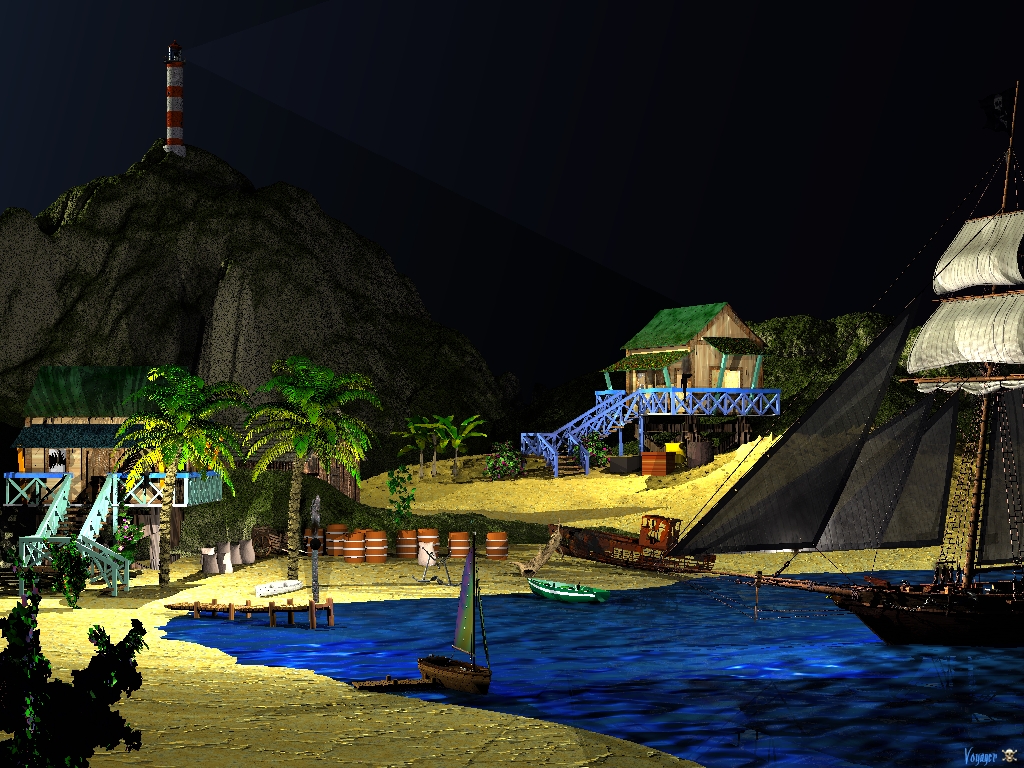
Capt's Island at Night
In this scene, I used "Torches" on the two cottages. The cottage up on the hill has a torch inside. Then there is a torch on a post on the long dock. As I look at the scene now, I noticed I have the "wreck" up too high on the sand, darn.
Loading unique views3,409 unverified legacy hits0.0 archived rating2009-03-31 added
Comments 8
A conversation around the artworkSign in to join the conversation.
well done this view rememeber me the game farcray ;) well done
-- I love the brightness of this image but something was bothering me about it and I didn't realise what it was until Rashad and Horo pointed out that you hadn't used AA. Must be a darn nuisance for you though if you have an unreliable computer!
Thanks all for your tips, keep them coming.
Very nice scene! Only additions I could suggest are AA nad a bit of stars. Keep improving!
There is a possible workaround for AA-ing. Render double size without AA-ing and then half the size of the rendered image using a graphics software like Photoshop or Gimp and engage bicubical resampling or something similar.
Again a nice scene, dramatically lit. If you go for realism, you ought to give us some clue from where all this light comes from: lamps. I'm less bothered about the blackness of the sky, but I'd like to see some stars. The lighthouse has a very faint light, I'm glad I'm not at sea. I might run into the rocks ;) If you are NOT going for realism, then I have much less to "complain". In the end, it is always the artist who decides, how his artwork has to look.
Thank You Hello Rashadcarter, I try to use AA when I can, this wall took a long time to render while working on it. I have a really unreliable computer from HP, only a year old or less and it has been junk since I bought it. Sent it in, once, but when I got it back, it was worse and I ended up fixing it myself, anyway to some degree.
Just fine. Lots of very good aspects to this render! A few suggestions. 1. Always always always use anti-aliasing. Failing to use antialiasing is like failing to put on shoes before you leave home to go to work, you are just plain naked without it. Do leave home without shoes! Yes it takes longer to render, but that is the way of CG. The result of Anti-aliasing is always worth the wait. Actually, using AA increases the perceived resolution of the render by 400% making the finished render look much more natiural. Because of the courseness of the pixels without AA, the reality of this render is lost for me a bit. 2. Instead of full black, try a very dark blue. Make sure the blue is not too purple and is slightly green if anything. Make sure the color is a very dark blue but not quite black. 3. Play around adding some stars in the skylab.