FROM THE COMMUNITY COLLECTION
Welcome to my world
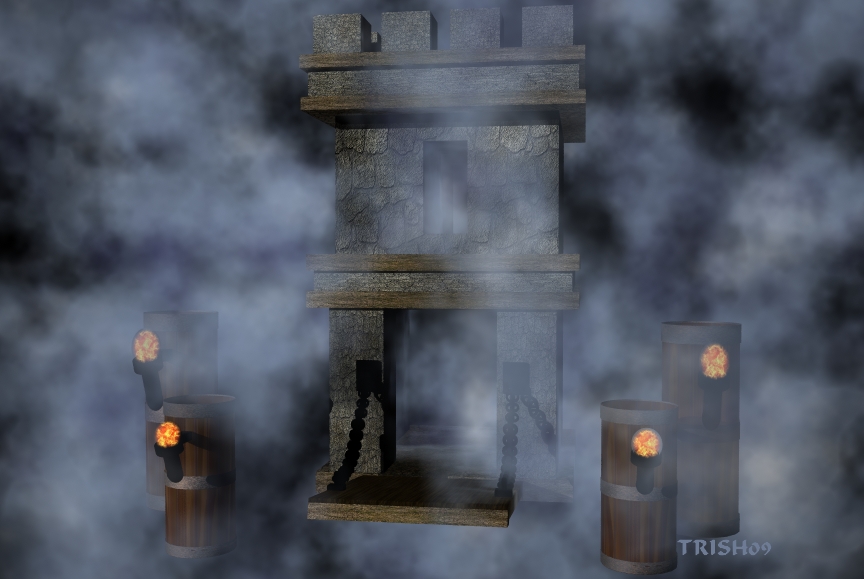
Richter gave me a good idea about fog in my last picture. I thought I would spin off on that sort of. Also from now on I am going to add just a small portion of my creations in my thumbnails I think it adds a little surprise to my work. I just want to say Thanks for every ones suggestions and comments on my work it continues to help me become a better artist Trish
Loading unique views3,630 unverified legacy hits0.0 archived rating2009-06-15 added
Comments 4
A conversation around the artworkSign in to join the conversation.
Thanks all I wanted it to appear so you could not tell if there was land or not,also agree about the fire. I modeled all of this one.
What I meant was to use the bryce fog crawling over a terrain or water so the creepiness and the mystical factor get "amplified" for the viewer. Right here the "fog" seem a lot like the Cloud filter in Photoshop layered on top the bryce render. Of course, nothing wrong with that, you just achieved different kind of effect. The main thing when creating pieces close to real life is to think how a given object A is interacting with an object B, and if "A" is made of stone and "B" of metal or something gaseous or whatever you desire - what will be the most appropriate (and close to real life) kind of interaction between them. Later you set how these A, B, C etc. objects are influenced by the lighting in scene. Again, [B]the interaction[/B] is the essence. Now Trish, the models are not a problem in your scene rather then the lighting and perhaps the object scale. You did not mentioned if this is a castle-gate in the sky or entrance to another dimmension. I guess you just wanted to play with the fog. And while you're still playing, my suggestions are as follows: think of what kind of gate is this - is it again something that the viewer should take as realistic, or cartoon-style, or simple model presentation in a given foggy scenario. Also, why does your chains and torches are meant to be pitch black - do those models have some "history" behind, are they from another world, think of the motives to do something and apply the proper characteristics in order not you but your final image to speak to the viewer and tell him its story. Moving on to the torches' fire I do see fire, yes, a bit solid maybe?try then David's plasma. What is missing though is the light from the fire. Easily achieved through a orange-tinted radial light with balanced square falloff and intensity. Place those light really near to the torches and viola! The fire is alive. Finally - the render window aspect. It's just as important for the impression as the all the models, light and shadow in scene. The rendered region is the "door" to the world you're choosing to show us. If you cut your render too tight, the viewer could feel uneasy, almost as there's not enough air to breath in. Now, if there's too much space around a few close-placed objects, the viewer gets lost, and you can tell that's not good either. So how can you know how to cut your final render... That varies.., but try to keep the main focus of the scene closer to the camera or more to the center of the image in general. [b]The illusion[/b] of more items/objects outside the viewport of the camera is achieved through focusing on something of importance and cut the obj-s around it. [b]The illusion[/b] of wholeness and integrity in scene is achieved through leaving small-to-medium amount of space around your entire setup "action" in-scene. I hope I've been of help. Have a nice render and place challenging goals in front of you in the future. That's one way of improvement.
Nicely done. The flames look a bit solid. Everything is floating, we're in the sky among the clouds. How about a ghostly figure right at the entrance as a welcoming person?
Wow. Yes, I'd agree that this exercise has yielded a beautiful result. The volumetric work is very good. Asside from the appearance that some items are floating, this is a very nice piece.