FROM THE COMMUNITY COLLECTION
The City V.2
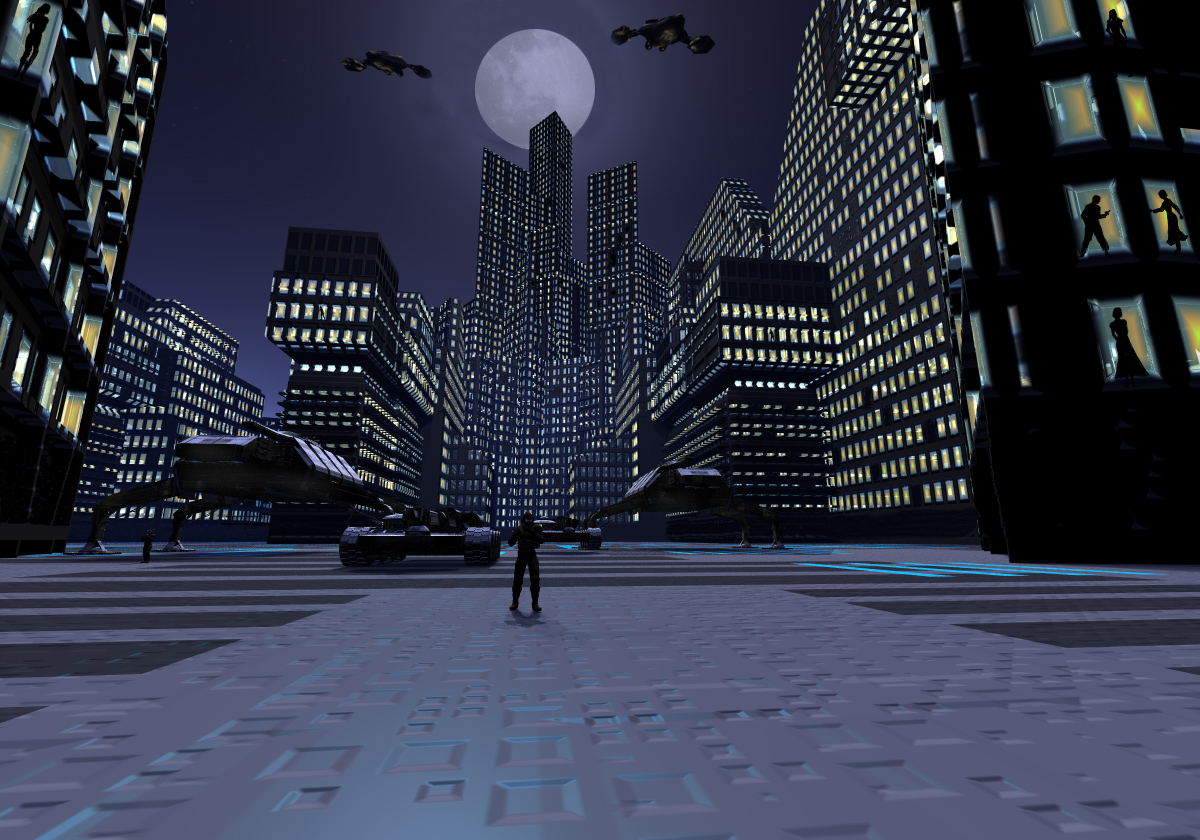
Thank you for the feedback on the last City picture. I think this one is better.. maybe audience smashing... maybe not. So, this time, a different view of the city, a new texture on the buildings, taller buildings, soldier is smaller with two tanks (old model) and two walkers (new model) behind him, new ground texture and people in the windows and the sky is pretty much the same. The people in the windows (8) were painted in using a Photoshop Brush. I darkened some windows using the brush as well. I also took out the lowest row of windows on every building. The field of view was turned up a lot so the moon was oval so I made it round again using clone stamp and the brush. I think the solider is a little bit too dark compared to the street he/she is standing on but I am still unsure. I also did put a happy face on the right building on purpose (it wasn't some freak accident). Render time was about 1h30min and another 30-ish minutes in Photoshop.
Comments 10
A conversation around the artworkSign in to join the conversation.
Thank you everyone! I'm thinking about doing another version of this picture and if I done I will make sure to incorporate all of your suggestions into the picture (or at least try to).
Well that's something, Connor! I'm glad the suggestions proved worthy for this image. Rashad made a good point about the "10x10 windows texture". It is whether texture reworking or photoshop postprocessing you should concentrate. Perhaps both for ultimate results. What I mean is this [URL=http://prima-max.hit.bg/obp/city_lights_tut.htm][City Lights tutorial][/URL] that I believe suits perfectly for your image. See for yourself. The only thing that is bothering me looking at this image is the ground. The camera is fairly close to it so logics and aesthetics say it's best to apply more complex texture or material there. You decide.
Very good image, Connor! nice models and textures, good composition!
Super excellent! I wonder if you might be able to produce an image in photoshop that has a series of windows with random windows displaying persons. Using one of the tiling modes like world cubic or object cubic could work well. I imagine the image would need to feature roughly 10 windows across and 10 down to give you enough room to create a sense of randomness in the tiles that are dimmed and the tiles that are occupied with people compared to the normal windows. Alot of subtle wisdom in the composition of the scene including the camera angle. Very nice Connor!
Wheres Waldo, I can only find 6...Great render.
Took me a while to find the 8th one. Not exactly obvious. Connor - glad you could make it work. The first time, I searched longer than I did for Ms. Waldo.
Thank you. The person is in the far left window (Ms. Waldo). I am going to try the random replicate with the radial lights. Horo, thank you, your advice on how to make cloths fit the character in DAZ studio worked perfectly.
8 I spotted the 8 one! Far back on the left. Must be Waldo.
Much improved. I can count 7 people in the window. The street looks a bit bumpy to drive on, but the vehicles should be able to cope with that. What you coud do is to add (random replicate) about a dozen faint radials with an inverse falloff to brighten the black shadows a tiny bit.
I think this one is much better. Buildings are taller and overall the scaling is better. But i only count 7 window-people. Where is the eight one?? (or is that the one in front?)