FROM THE COMMUNITY COLLECTION
Hello
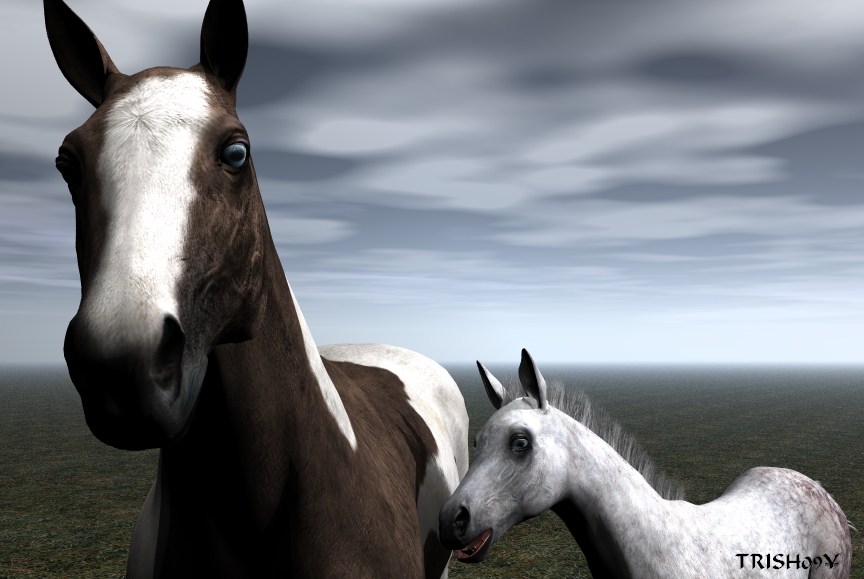
The Mill Horse is now a a price I could afford 5.89 so I thought I would try a render in Bryce. Iwanted to do a close up.
Loading unique views3,551 unverified legacy hits0.0 archived rating2009-08-09 added
FROM THE COMMUNITY COLLECTION
The Mill Horse is now a a price I could afford 5.89 so I thought I would try a render in Bryce. Iwanted to do a close up.
Comments 5
A conversation around the artworkSign in to join the conversation.
Very good. The weather seems to be that of a nearby storm. I agree with the feedback so far in regards to the background being a bit too sparce. Richter's Dof technique is very cool, it really finishes these types of pieces. The horses are expertly posed, they seem somehow alive. The only drawback is the lack of fur.
. Trish, I really love those horses. What a pity that Bryce doesn't have some way of making hair and fur look better. I noticed an advertisement for realistic dog fur for Carrara - wonder if that's something that could be incorporated into Bryce?
These horses seem to be really nice modeled and textured, as most of the stuff Daz have to offer. There's just this stretched spot between the adult horse's eyes that needs some sort of masking. Taking into account the funny way the horses are looking at the viewer plus the title makes me smile and say "Hi!" too. Although the fact that the background practically ruins the impression cannot be neglected. It is just too empty. Since you said yourself that the horses are the focus, you could've gotten away with the use of Depth of Field, having the lens focused only on the heads. And then the need of filling the backgr. space will disappear alongside with few possible complains. I know that DoF can be tricky to work with sometimes so a few pointers in that direction would be: (1) to get the focus on the appropriate place you'll need to "tell" Bryce exactrly where it is by positioning a large sphere that encompasses in its volume only the heads (or wherever you want to focus), make sure the sphere is selected, then go to the Render options and press the button on the low left (saying "Set to Current Selection"), after that just hit Ok and Delete the sphere, leaving only the horses in scene. (2) To squeeze out the best of what Bryce has to offer concerning Depth of Field includes setting a certain number for the [u]Lens Radius[/u] and applying as [u]high Rays per Pixel[/u] as your machine can handle (in other words - rendertime that is affordable). By default the Lens Radius is 0.10. Adding to that value in terms of 0,1 or 0,05 goes a long way and makes a noticable difference. The question is "how exactly will this number affect the composition?" - if a given object is out of focus, the higher number for Lens Radius will make it even strongly blurred, smaller number will take away from the blurriness. The result from the higher blurring will "explain" to the viewer that the main object in focus is very small, less blurring will balance things towards the more larger size of what's in focus. In other words you're literally "helping/manipulating" the viewer how he will perceive the scene. So in your case I think values for the Lens Radius will have to vary between 0.05~0.10, the main idea being the horses' heads in focus and bodies slightly out of focus plus more heavily blurred empty background.
Well hello to you.I was making the horses the focus
I'm glad to see that you can upload again! Nice camera angle. The horses do look good but Bryce cannot do the coat convincingly - it's hair after all. That's not your fault. What's your "fault" is the boring plane you set those horses into. The sky looks quite good but this picture needs a middleground, perhaps even a background.