FROM THE COMMUNITY COLLECTION
Moulin ? aubes
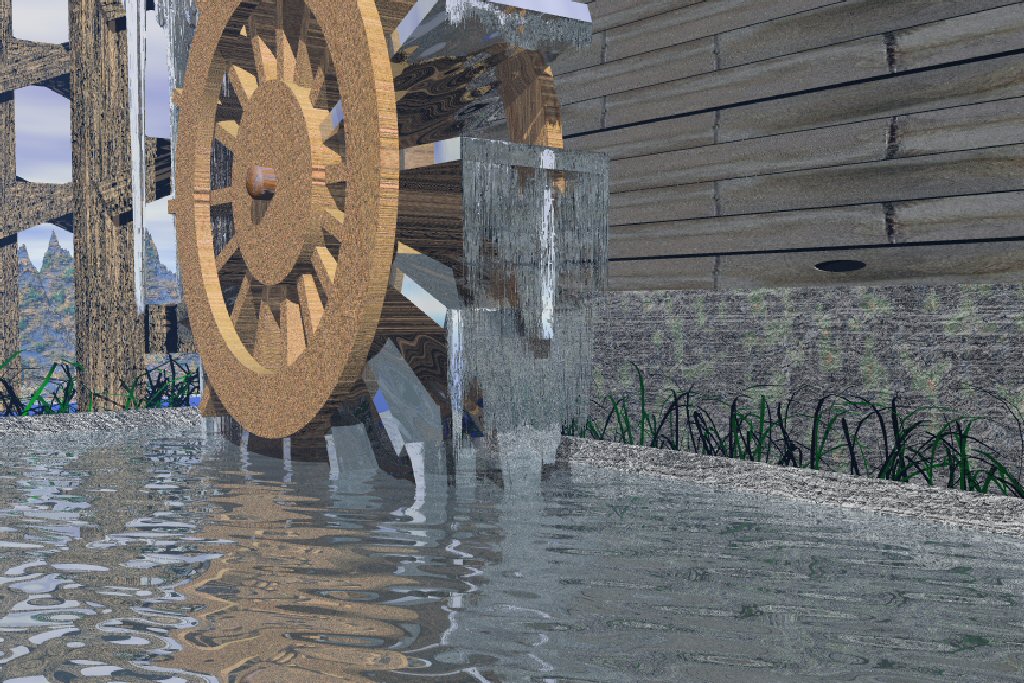
Image faite avec Bryce et l?g?rement retouch?e avec PSP. L'eau fut vraiment difficile ? trouver la texture parfaite.
Loading unique views4,675 unverified legacy hits4.0 archived rating2009-08-12 added
FROM THE COMMUNITY COLLECTION
Image faite avec Bryce et l?g?rement retouch?e avec PSP. L'eau fut vraiment difficile ? trouver la texture parfaite.
Comments 5
A conversation around the artworkSign in to join the conversation.
thx every one Merci beaucoup pour vos conseils avis?s. Pour l'instant, j'ai pris un arr?t. J'attends un pc plus performant, le mien est de 1.8 ghz, 256 ram. J'esp?re avoir bient?t un pc 2.8 ghz, avec 2 g ram. Je me suis toujours demand? tout de m?me, quel est la configuration n?cessaire, non maxiamale, pour Bryce.
You have gotten the best advice I could imagine. Take your time reviewing the notes as they are generally key to having the fun you really want with Bryce. Composition is very good. The materials of course could be reconsidered. The falling water is pretty sweet. I wonder of you could have used metaballs instead. I think metaballs would do this job much better because they are rounded and not pointed. The water needs to be transparent as already mentioned, this is essential. I always try to approach materials from the standpoint of physical characteristics. If water is transparent in real life I assume it will need to be transparent in my finished render also.
Le sujet est tr?s joili mais comme Richter dit, il y a plusieurs choses qui ne sont pas id?ale. L'eau est principalement transparent et sans couleur, tr?s peux de r?flection. R?flection viens plus prononc? quand lange est plus - merde je sais pas le mot. The subject matter of a water mill is very nice but as Richter said, there are several things that are not ideal. Water is mainly transparent and without colour with almost no reflection. The reflection gets more pronounced the shallower the looking angle is. Gamma - a gauche tu trouve 4 triangles, celui plus bas sont les render options. Clique le et la tu trouve Gamma Correction. D?clange l'option. Si tu pense tu veu change le contrast un peu, fait ca avec une application graphique, PSP dans don cas.
euh. I understand some. but i appr?ciate yours advices that i understood. My english is very lower level, on writing only, and middle level for reading. J'ai beaucoup appr?ci? vos conseils, bien que je n'ai tout compris, surtout concernant le 'gamma'. Must I ,hulkalirize' my picture ? And how i do that ? And thx again for yours advices. Muad
Well, there's so much I'd like to comment on here, but I fear that I'd scared you away for good from Bryce5.com with so many tips and suggestions. So to put the most important ones in a nutshell - check every material's Ambient channel and where you see number higher than 0 (zero), type in zero; if the Gamma Correction is set on, turn it Off; for the water use the appropriate Water material Bryce has to offer, but lower the reflectivity, because now the water everywhere looks like glass; finally - use higher AntiAliasing settings when rendering, and when you do, make sure that Bryce is not interrupted while it renders/calculates. "What can you make of all that's written above, what's the benefit?" ___The ambient channel (when applied) acts like a "glow" characteristic of the given object, but we all know that a Moulin's (Mill's) wooden wheel is not at all supposed to glow. It is not natural. This applies for every object in your scene. Using Ambient only makes things look less 3d. ___Gamma Correction makes your image pale and lacking contrast, from here inheriting this "weathered" look and quality drawbacks. ___The water has always been tricky to recreate, even when you have the preset created for you. It it the right amount of reflectivity and transparency that plays the role of convincing us that what we're looking at is "water". Solution - experiment with low values of both and generally always use reference to what you're creating. ___Lastly the AA, or Anti-aliasing that smoothens every bit of pixel in your artworks. A quality piece of 3D imagery [b]Always[/b] requires AA and thus enough time spent on waiting the render to finish. It can be frustrating sometimes, but once the image is ready it will stay for long time in front of the audience to admire it. AA means "quality". Never neglect that.