FROM THE COMMUNITY COLLECTION
Flying
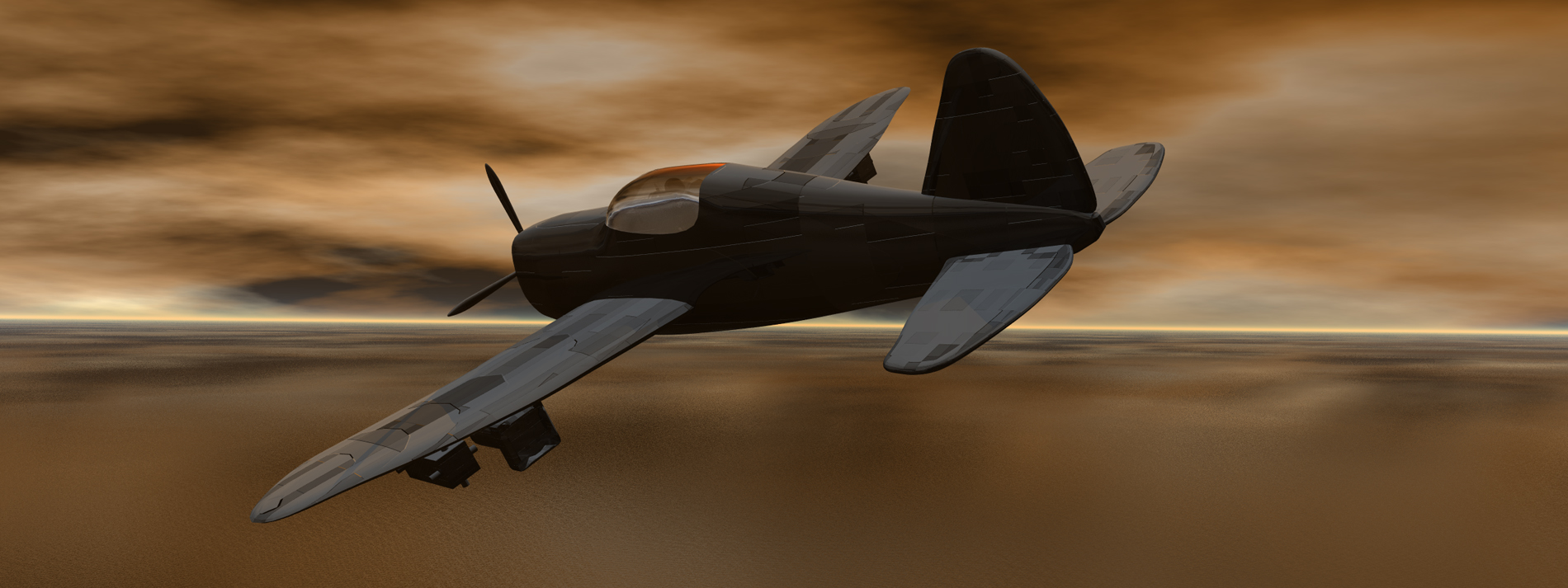
A while ago I uploaded a model of a P-47 Razorback. I changed it a little, put it in Bryce and hit render. Any ideas on how to make the propeller look like it is spinning?
Counting views…4,277 unverified legacy hits0.0 archived rating2010-10-03 added
Comments (6)
Sign in to join the conversation.
- Great model, Connor, as always. I see you like that Hull Plates mat too. You might want to lower the Bump Height a tad more. This looks like it would put too much drag om the plane. ;-) Dave has an awesome idea for that propellor blur. I probably would have tried something in Carrara and exported it for use in Bryce. That's yet another neat feature they can add to Bryce 8, that and a set of animatable deformers. ;-)
- Thank you. There actually is someone sitting in the cockpit. She is a bit hard to see with the reflection in the glass, but you can see you head and part of her hand if you look close.
- Nice RPV - remotely piloted vehicle. There's no one sitting in the cockpit. The model is great, though.
- -David, Thank you. I am going to try that soon. -Rashadcarter, Thank you very much!
- Nice model! Wow!
- Here is something you could try. Remove the propellor model and render it square on, from the front. And also make an object mask of that. Take the render and import it into a paint package and apply a circular motion blur around the axis of rotation. And the same for the mask. Replace the model's propellor with a circular disc object and parametric onto it the modified propellor picture and the mask, using the mask to control transparency (in the blend transparency mode). This, depending on the level of motion blur applied will give an illusion that the speed of the propellor was faster than the camera shutter. That is the fast render approach. Alternatively, if you wished to do it all in Bryce. Take the propellor and use multi replicate with radial offset along the axis of the prop to create a circular disc of duplicate opjects. Then depending on the level of blurr that you wish to achieve, use blend transparancy to make these progressively more transparent to almost invisible.