FROM THE COMMUNITY COLLECTION
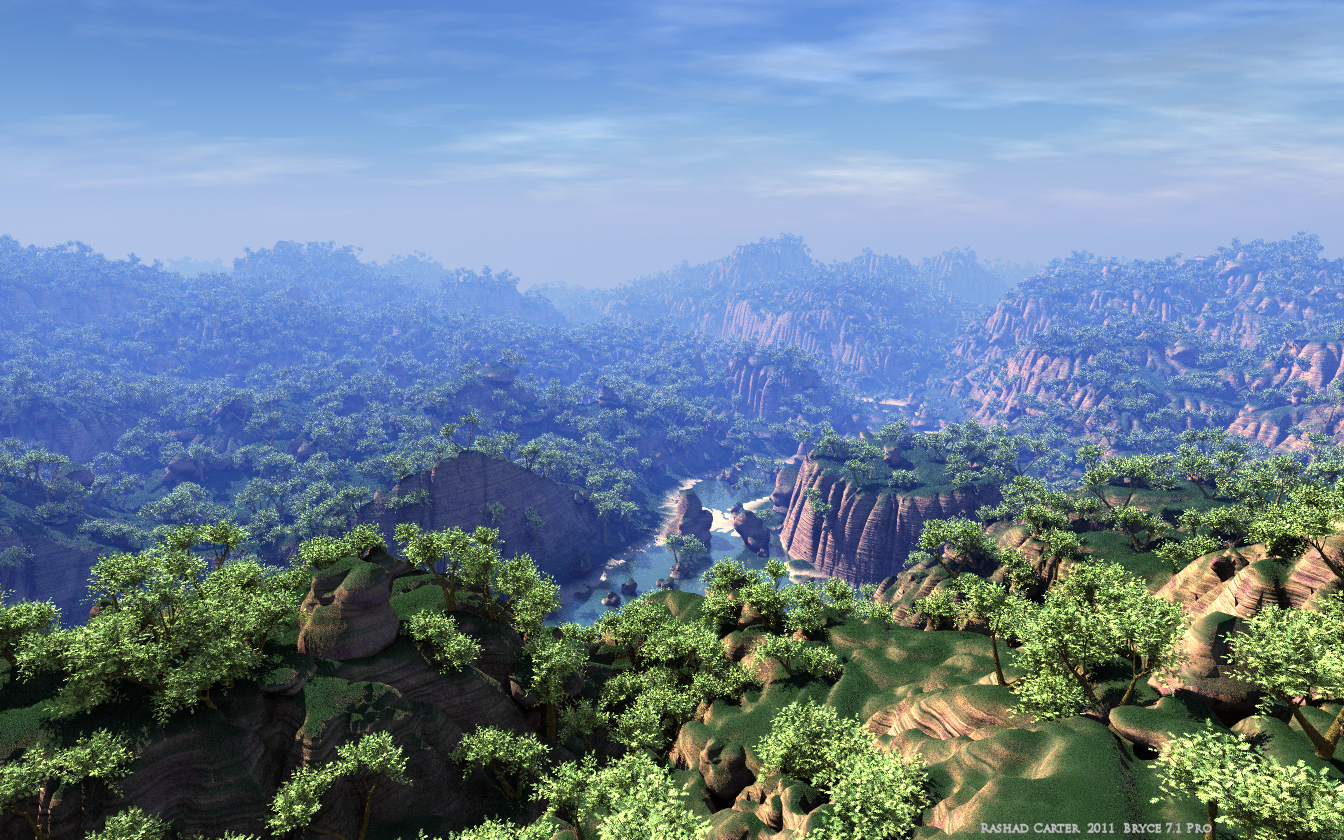
Green Canyons
Here is a sneak peak of one of my most recent Mega-Scape projects. This project is intended to end up for sale at Daz3d eventually. Bryce 7.1 pro, obviously, Lit with my special EarthGlow Dome Light Strategy for the realistic lighting. Feedback is appreciated. Thanks for your time
Loading unique views5,812 unverified legacy hits5.0 archived rating2011-10-21 added
Comments 14
A conversation around the artworkSign in to join the conversation.
Impressive scene, Rashad. Most has been said already. The foreground is impecable, I'm not so sure about the haze and sky combination. I cannot point to what's bothering me, I just think it doesn't completely fit. Perhaps the sky should be a bit greyer, a bit less blue. Nevertheless, you get my top marks.
I am preparing the email currently. There is a little bit to explain so I am typing it out.
Well!
There is a button in the light lab that turns a Dome into Distant. It is located just beneath the adjustment sliders for Domes in the bottom left area.
I simplified the process a little bit for the public forum. I am preparing an email for you now with the full deal, so long as the email you provided for this site is correct you should be getting a file soon.
Whether shadow are included?
Rashad, once again thanks for this idea. I will put by all means it into practice! I have correctly understood, what you apply Distant Light with a certain azimuth and an altitude? Or nevertheless Sphere Dome Light the huge size? Certainly, with Falloff "none"?
Thanks STKydd! Slepalex, In a nutshell this is how it works. The light lab allows Domes to be made Distant, making them infinite in size encompassing the entire world, such that they work a lot like an hdri probe shining light inward from all sides. I created 2 domes, one blue for the sky named Skylight Dome, with a slight positive bias. I also created an EarthGlow distant dome, greenish in tint, with a slight negative bias. The EarthGlow dome is to represent the localized light that is bouncing upward from the terrain, thus the terrain is being excluded by the Earthglow dome, but the trees are not. Any object placed in the scene will receive a slight greenish tint as if the light from the terrain was actually being bounced around. The exact proportion and balance of the light influences is hard to generalize. For me I find that the localized light is usually more intense than we assume, because it is localized and does not travel very far, for ground level objects, it is yet a significant influence. That upward bouncing light is one of the main things missing from most fake GI simulations. With real bounced photons, the local and distant influences become mixed, often lending more light to the undersides than we would otherwise expect.
Thanks for the clarification, Rashad. Such a strategy I use in modeling the interiors and still lifes. Although I should note that reflected from the earth, and things are much weaker than the light of global illumination of the sky.
Wow thats quite a view, very impressive
Thanks a ton guys! Slepalex, The EarthGlow Dome Light Strategy is another product I am developing for possible vending one day. Indirect light is often what determines how realistic an image will appear. I read that 2/3 of the light that leaves the Sun reaches the Earth as indirect light scattered by the atmosphere. Most people do not know that, and tend to overestimate the brightness of their sunlight, often leaving shadow regions far too dark. Further, in most fake GI simulations I see in Bryce, much care is taken to account for light that rains down from the sky and the sun, but most often users overlook the light that bounces back up from the Earth into space. This light has a significant impact on the look of ground level items. This is the light which strikes the undersides of objects such as building arches, branches of tall trees. Many users think that material ambience is useful as indirect light, and while it has some limited use, the lack of shadow casting flattens the resulting render. Using real lights that cast shadows helps to carve out the 3D geometry. So I try to avoid ambience whenever possible. I would love to send you the product, allow you to play with it. We will talk. On complexity, it should be noted, that there are just as many trees behind the camera as there are in front of it. Careful planning, as well as a bit of madness, is required at this point. I have several tricks for accomplishing this task. There are too many things to cite here, but it is possible to do a lot. What I wish was that I could afford to add much more complexity, grass, more stones, flowers and the like. But alas, there are limits. David, as always, I am very open to any terrain material development ideas you have. Our collaborations are always fruitful. Thanks a ton. More to come friends. Thanks again for your time.
Very impressive! Complexity is staggering. Placement of trees - I just don't know how you have the patience. Atmosphere fog, give a real sense of scale, but the sky above it does not entirely convince me that it fits with this high level of moisture. The water and beach area looks excellent. The terrain material isn't bad - but I think it could offer more variation - if it isn't part of the beach? Certainly top marks, irrespective of such minor concerns. 5/5
Excellent Picture. Alone the control over all these trees had to be a bit of work, I suppose. I especially like the little river.
Impresses! Where it is possible to get acquainted with "special EarthGlow Dome Light Strategy"?