FROM THE COMMUNITY COLLECTION
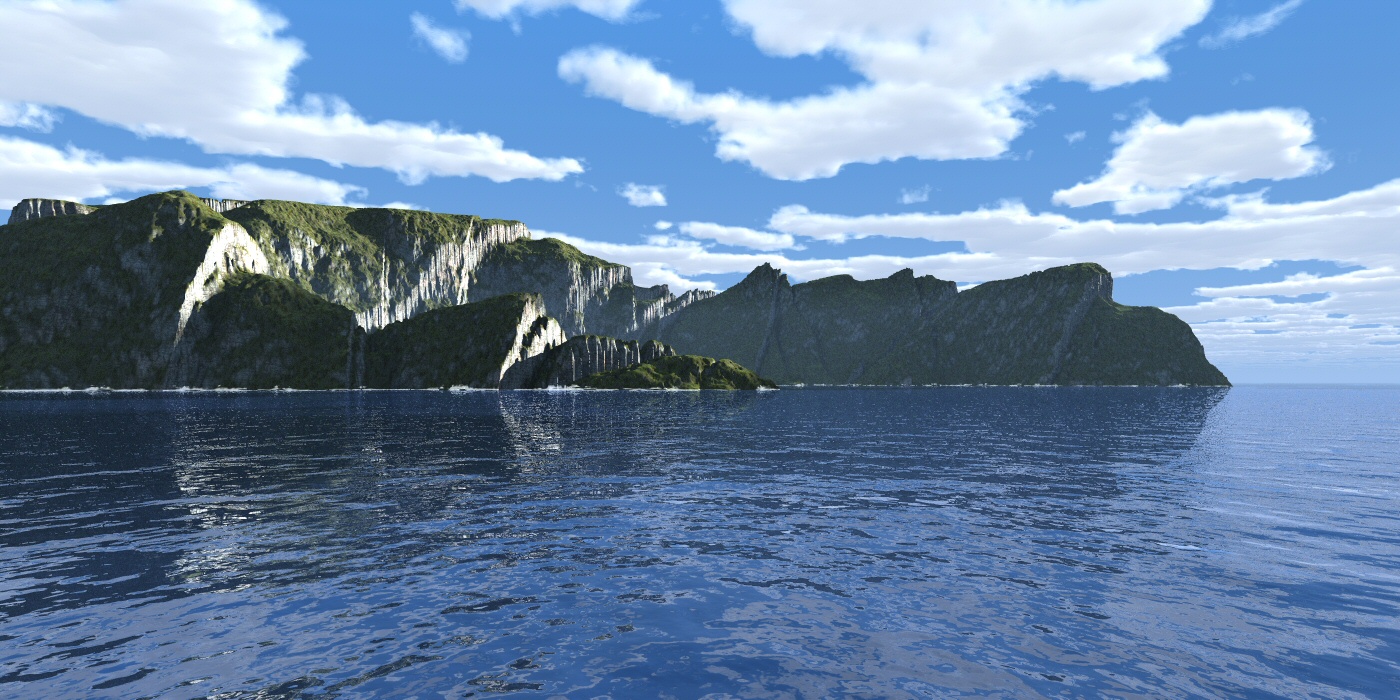
Island with surf another way.
Render time 30 minutes. Bryce 7.1.0.109. Infinite slab with free cloud material supplied with Bryce 7.0 content - slightly modified. Infinite plane for the water surface. A great deal of time was spent trying to establish the right sense of scale with the haze settings. Also, the "surf" effect is achieved through altitude filtering on the terrain material. Without scattering correction, using this approach the bump "spreads" the surf across any wave facing away from the camera, with scattering correction engaged for the render, the surf effect appears only on the terrain. Lit with Bryce sun and an internally generated Bryce HDRI for ambient lighting.
Loading unique views3,850 unverified legacy hits0.0 archived rating2011-12-30 added
Comments 8
A conversation around the artworkSign in to join the conversation.
Thanks STKydd, a comparable render time to what Vue could do? Bearing in mind with optimisation I could push this under 10 minutes?
That looks awesome David
Thanks Rashad, yes sorry, meant reflection correction, only IBL and Bryce sun used. The water reflection is "OK" but not right, either a working displacement feature would fix this or better yet, normal driven, parallax mapping as a more efficient alternative that would work for situations were "true" displacement was not required.
Scattering Correction and Reflection Correction are different tools. From the description I got the feeling TA was used but I assume only IBL was used so I assume you meant Reflection Correction and not Scattering Correction? The surf looks amazing. The water looks great as well so long as one does not study it too much. Successful experiment.
Thanks for the info, David. I have tried to deal with this reflection by the anisotropy. True, the result is not obvious.
Surf effect... Only one terrain, the surf effect comes from altitude filtering in the ambient channel. This is "cheaper" than using a second terrain and blend transparency and also easer to setup. Because of the way it is mapped (world space), the surf stays with the sea and I can move and turn the terrain and it always appears where it is needed.
Thank you Alexey! You are quite correct about the reflection, this is a mapping error within the way Bryce handles bump. What is happening is the surface showing the incorrect reflection you observed should not be visible to the camera as it should be occluded by the wave in front of it (if the waves were real) but because the waves are not real, but bump, they cannot occlude the surface and an unexpected reflection occurs. Without reflection correction something else - also wrong - happens. I have covered it here in this thread. http://forum.daz3d.com/viewtopic.php?t=179869
The general illumination and study of details in shades has turned out perfectly. For a sea surf it was used additional terrain with material Blend Transparency? Most of all I am am afflicted with this reflection of remote cape in water (on the right). In a reality of the such shouldn't be. With this property Bryce I was tired to struggle.