FROM THE COMMUNITY COLLECTION
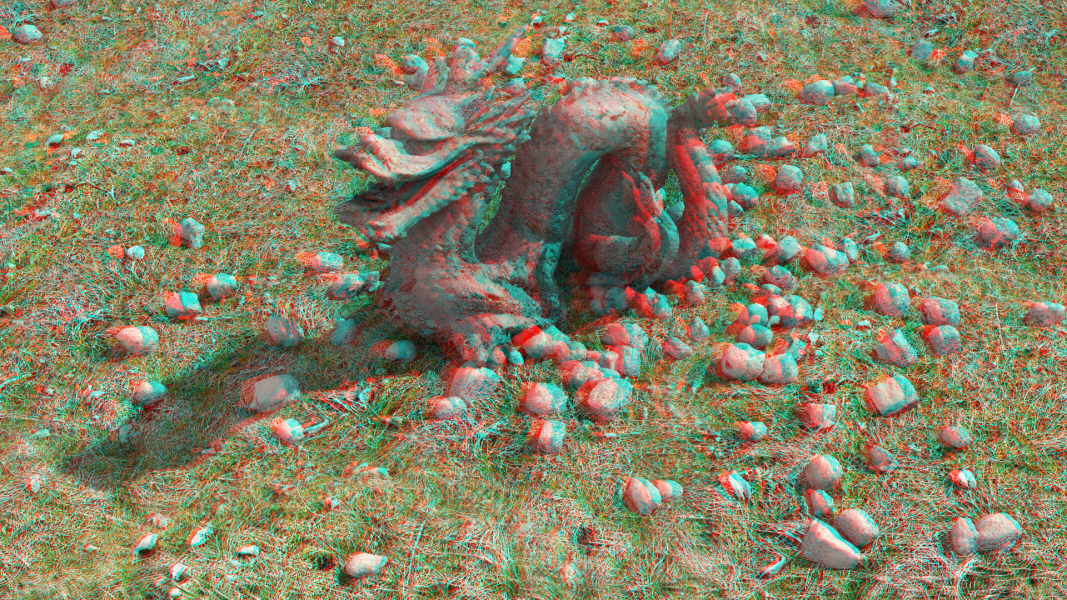
Gritty Dragon Anaglypherized
Still anaglypherizing things... Red/Cyan 3D glasses required for viewing pleasure.
Loading unique views5,544 unverified legacy hits0.0 archived rating2012-07-09 added
FROM THE COMMUNITY COLLECTION
Still anaglypherizing things... Red/Cyan 3D glasses required for viewing pleasure.
Comments 3
A conversation around the artworkSign in to join the conversation.
Thank you Waleed. Do consider also that the anaglyph's are not a simulation of 2D software but rather the exclusive domain of 3D software. There is not one button in Photoshop that will do this, Photoshop is without a doubt good, but it does not do this. This is for 3D software only, to add depth and scale.
Although sometimes I struggle to grasp the meaning of your posts - I believe you are in agreement with what I posted and indeed what I posted was a correct interpretation of your point. The point. A product by Horo and myself, that allows these images to be rendered directly in Bryce without postwork. Also, that guides the user to good results by simple means. We are working on the tutorials now. The system is invented.
Thanks Waleed. In this case they are red, not magenta. The magenta filters are used with the green filters for this purpose. The red filters are used with the cyan filters. Red = RGB 255,0,0 Clyan = RGB, 0,255,255 When added together form white 255,255,255 Otherwise, the alternative colour method. Magenta = RGB 255,0,255 Green = RGB 0,255,0 Again white 255,255,255 Magenta and Cyan would not work in this case, because light is"additive". And the blue channel would "ghost". Printing is "subtractive" colour is by light absorption not addition. So Magenta and Cyan might indeed work for printed material - I don't know. Although it would be interesting to test - if I had a printer... Which I don't. Let alone a colour one. Interesting though, thank you Waleed.