FROM THE COMMUNITY COLLECTION
Shoreline - a 15 minute tutorial for Bryce 7.1 Pro
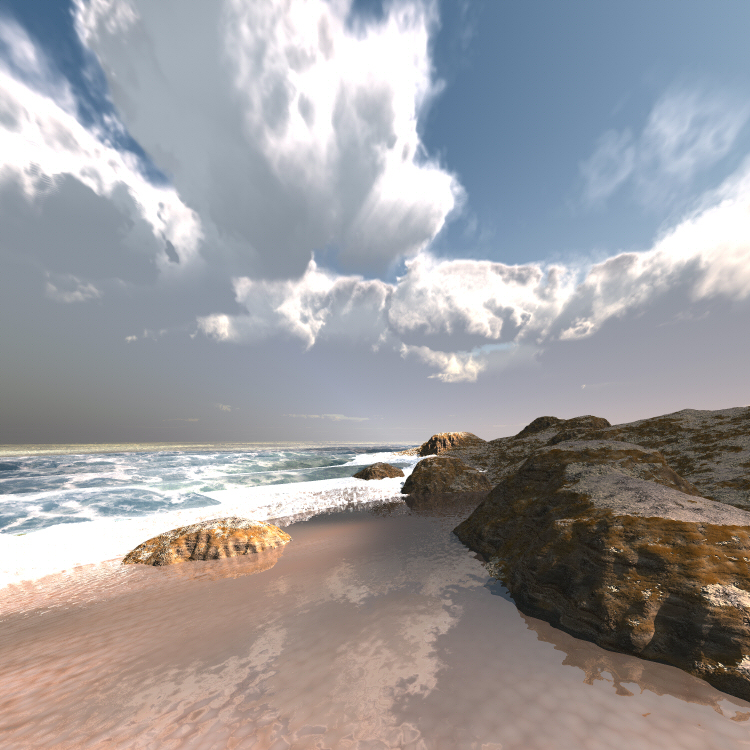
Fresh off the video press and made today! <a href="http://www.youtube.com/watch?v=s1tbLaYUilE" target="-blank">Bryce shoreline - a 15 minute tutorial by David Brinnen</a> Feedback welcome,
Loading unique views10,814 unverified legacy hits1.0 archived rating2012-07-30 added
Comments 8
A conversation around the artworkSign in to join the conversation.
But could you follow it easily? The aim was not to amaze but to guide. Being amazing and guiding would be brilliant, but since I was aiming for guiding... being amazing on it's own is not so clever.
this video was amazing everything that went into this scene...WOW
Thank you Rashad, yes I know what you mean, clouds you could chew through? A bit fantastic perhaps but they help with the brightness I think. All a bit overblown for my tastes (mostly shades of blue grey and brown for me) but there's only so many times I can remake the same scene and record myself doing it before I start to go a bit loopy.
Wonderful. For some reason the clouds seem to be too thick, not so much like a collection of steam and more like a piece of foam. Not sure how to describe what I am perceiving. The shoreline effect is incredible. Love the brightness of the image. The waves foam looks perfect!
You are welcome. OK copy matrix is a very handy feature. It copies the attributes, scale, rotation and position of a selected object. Paste matrix puts those copied values in to whatever is selected. So you have something in the scene at X,Y,Z, scaled to such a scale and rotation and you want something else to joint it, near by. You can copy the matrix of the first thing then paste the matrix to the second thing and it will goto where the first is, be scaled as the first is and be rotated as the first is.
Thanks David, i always learn somthing new everytime you do a new video and this one is great, I do have a request, i did not quite follow when you were copying the Matrix, i have never played with that, could you possibly elaborate on that part and what it is doing ?
Thank you, although with this topic, like many, there is more than one solution. The material based solution for putting an edge on terrain, or in the water, as you know is quite heavily involved in the DTE so I though this one might be a bit more user friendly to being with.
Another enlightening video of this 15 minutes series.