FROM THE COMMUNITY COLLECTION
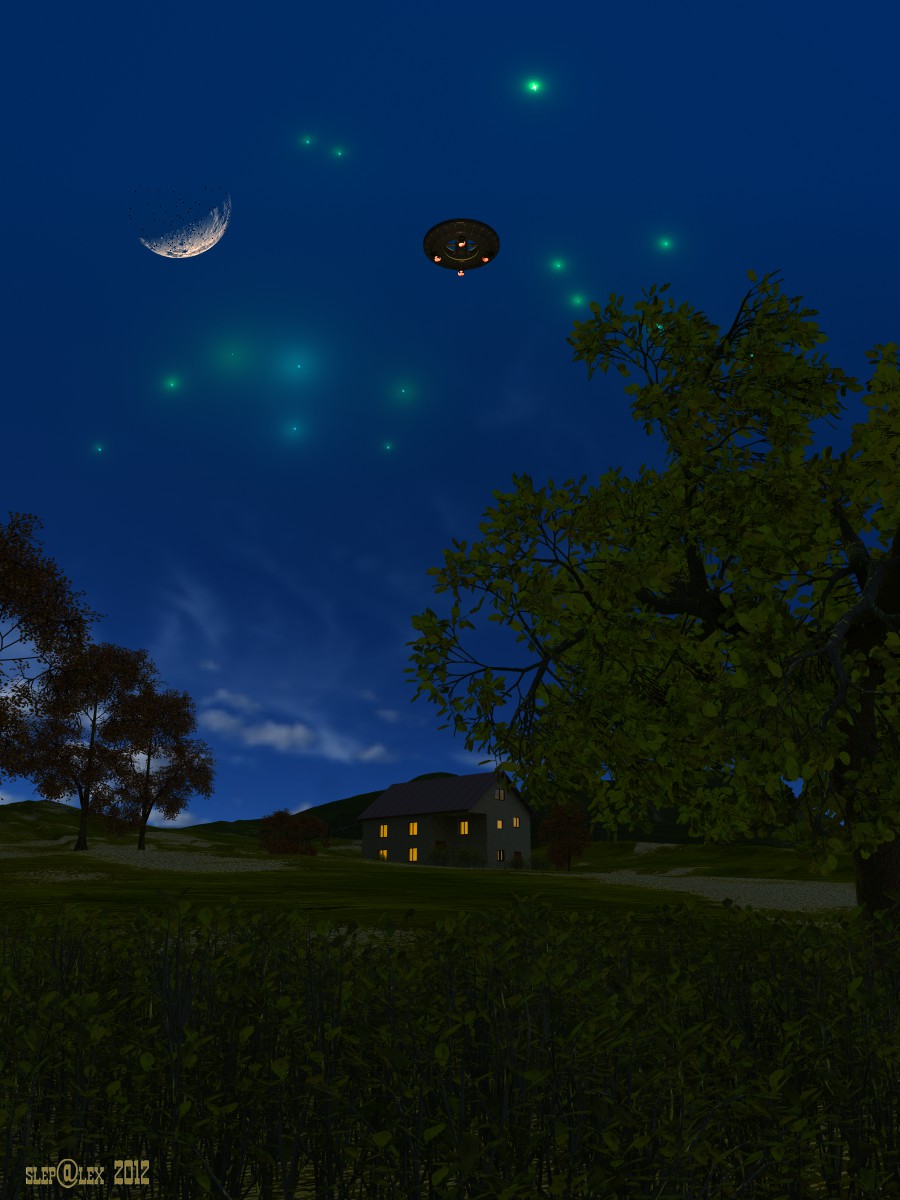
Unexpected visit
Bryce 7.1 Pro. Render Premium 64 rpp, TA, Boost Light, TA Scattering Correction. Time 1:53:30. We used ideas David Brinnen's of optimization TA-renderer described in these lessons http://www.youtube.com/watch?v=6P0I6WiNbTU http://www.youtube.com/watch?v=dUFw9agabrw Basic lighting: HDRI and Radial Light with included TA optimization and Use Gel. The atmosphere is disabled, the background is black. Options HDRI: Use as a backdrop, Blend with sky, Light From Inside, Cast Shadows is disabled, Disable Sun Light, Include objects Background. Radial Light is renamed into Background and has a default gray material. To create light from windows and lights spacecraft, used the method of luminous objects David Brinnen's described in this tutorial http://www.youtube.com/watch?v=rpOPYXpAIzA. All modeled in Bryce, post-processing is not applied.
Comments 4
A conversation around the artworkSign in to join the conversation.
* Thank you all. Richter, you're right. In the foreground, I added a weak source.
Nice indeed! Fine looking trees and foreground plants. Since it's a night shot, the image could benefit from even more darkness in the tight spots (near-ground parts of the plants), though I understand that some of the detail there will vanish. Of course that's natural, so I think here you wanted to show all the flora too. Good results as stated before my comment. Nice.
Great use of the tutorial video. Result is excellent. O also like the subject matter. Great artwork!
Wow! Thanks for the detailed explanation of the setting yo0u used and why. This is really good. Impressive as always!