FROM THE COMMUNITY COLLECTION
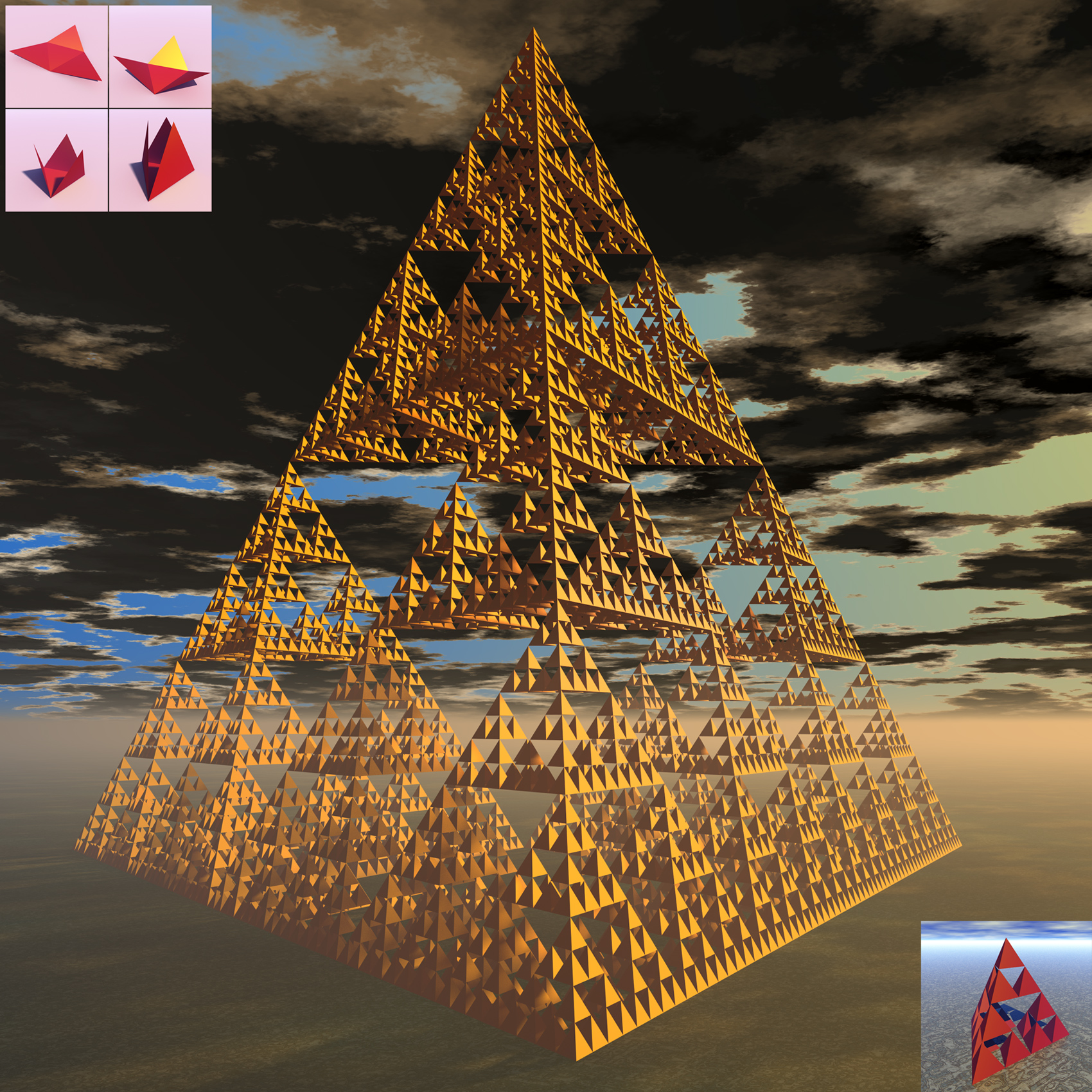
Sierpinsky Tetrahedron Level 6
Bryce ONLY mode as usual. There are several methods for making a Bryce ONLY Tetrahedron [a useful thing to have in the object library]. One of the most elegant is to use two intersecting Rhombic Prisms (skewed cubes). However this time i opted to make the Tetrahedron out of cardboard and tape and then fold it in the traditional manner. See inserts at top left. In Bryce it is easy to simulate this classical construction method. You need to know the dihedral angle of the Tetrahedron which is 70.533 degrees. The actual rotation is 109.467 degrees [180 - 70.533]. The object must be built out of 4 hinged Equilateral Triangles arranged in the X-Y plane. A Triangle is first cut out of a 2D Face and converted to a mesh surface. Once you have a Tetrahedron, putting it all together is very easy. I made instances of a Master Tetrahedron. To help position them one can calculate the offsets with Trig. or build by eye. Both methods worked fine for me. A level 6 model uses 2^12 Tetrahedra instances or 2^14 Triangular Faces. That is 4096 Tetrahedra or 16384 Triangular Faces. Render Mode 3 [Premium] Rays per pixel = 144 Soft Shadows ON True Ambiance ON TA Scattering Correction ON Boost Light ON Max Ray Depth 6 AA Box, 1.00 I am not happy with the render. The object appears to be floating above the ground. Looks a bit surrealistic too.
Comments 4
A conversation around the artworkSign in to join the conversation.
You can also try to use ibl probes and low-reflective material to make your render stand out from an aesthetic point. Other then that, you did capture your object well.
Good advice from both of you I did not really pay attention to the render. I just wanted to capture this object.
Great model! Maybe the haze comes in the way and makes the shadows on the ground too soft. Good idea to add a bit of reflection on the ground by electro-elvis.
To mitigate the impression of floating I would try to add a bit of reflection to the ground.