FROM THE COMMUNITY COLLECTION
Mega Cube Collision for Horo
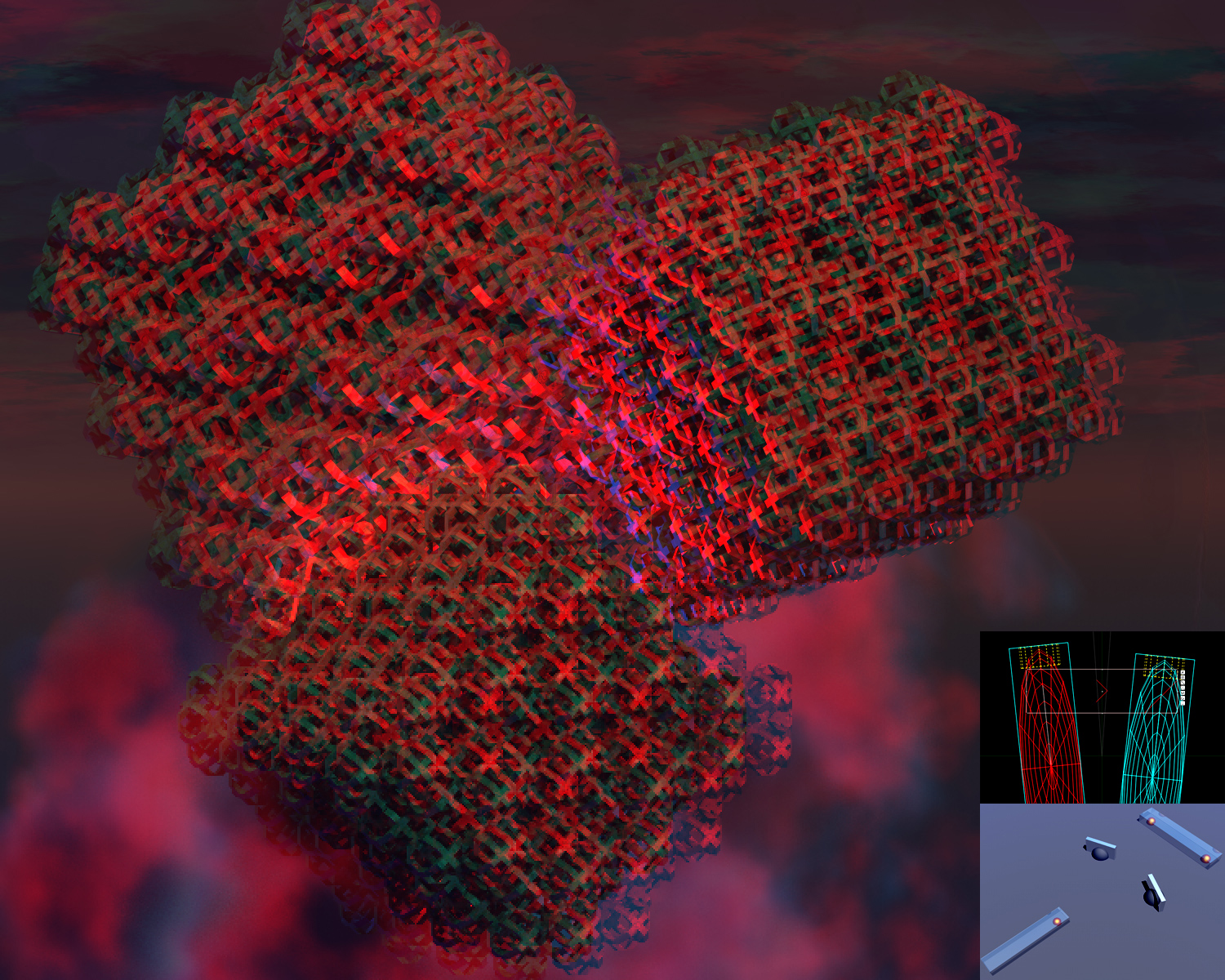
I rendered this one on Horo's suggestion. I used one of my Bryce OIP engines suitable for rendering Anaglyphs in one pass. I am not particularly interested in Anaglyph rendering of models and i also don't have the time to optimise my Anaglyph engines [which can have up to 20 variables]. There are much more useful things to do with Bryce OIP engines such as RPTs [Render Perspective Transformers]. But i thought i would have a go. I scaled and rotated the same model differently and added some lights and a volumetric cloud. The render is not finished even after one week! But there is enough done to show on this forum. Usually when anaglyphs don't work after the third pass they won't be any good when fully rendered. But this one is OK [if you can view it full frame]. The render shows the structure of these Super Cubes quite well. From that standpoint Horo's suggestion to try this was a good one. Also in addition one can see the cubes are at different distances - the middle and lower front one [scaled to be small] just about to pop out of the picture frame. So the image works in 3D on two different scale levels at the same time. I put in at the bottom righ corner 2 inserts of some of the Bryce technology i have invented for OIP purposes. My engines are all very different and there are very many details [too many to discuss here]. It is interesting to note that good Anaglyphs require not only two images [Red, Cyan] offset by a certain amount but also that those two images should [to some degree] be rendered from two different angles and/or perspectives. Also unlike Holographic Plates, Anaglyphs require that the eyes can see the entire image [picture frame] to generate a proper depth response to the objetcs it contains.
Comments 4
A conversation around the artworkSign in to join the conversation.
Thanks Horo Yes your observations are correct. In the case of a holographic plate you can cut it into pieces and each piece will display the whole image but with lower resolution and less 3D effect. With Anaglyphs the effect is produced only by the human optical system because the image is a 2D surface [ i won't go into the theory here] and it must be a complete surface. Therefore the entire frame must be visible to the eyes. If objects protrude this becones very important because it provides a frame of reference [ i may post an example of that]. But there are also subjective factors and many limitations. Still for a Bryce tinkerer like me it is fun Horo
Anaglyphs are very subjective and require very well defined viewing conditions You need to download it. Get an uncropped picture on the screen [reduce size if necessary to fit monitor]. Then relax for some time. The effect will happen within a minute or so. My eyes are not so good, so it may work for me [using the parameters i set] but may not work for someone with normal eyesight. Strangely the other scene you say "works like a charm" for you, does not work for me. The main problem there may be the background. Anaglyphs don't work very well over high contrast backgrounds. Yes i have used different OIP Engines. There are hundreds of ways of doing it. And lighting them can also be a nightmare if you like to use certain colours. I am not a fan of anaglyphs and your experience re-inforces my view that making "normal" Bryce renders is the way to go because they can be shared by the vast majority of people.
Thank you for this anaglyph. I had rather thought only one object, but 3 are nice, too. I had a bit of an issue to get it to work for me. Problem is always if objects that protrude are cut by the frame - in my case the screen. I have a small 1920 x 1280 16:10 screen and either the upper or the lower part cannot be displayed. But with scrolling a bit up and down, it worked fine.
Not much to say here. I have anaglyph glasses, the 3d doesn't work, sadly.. In example the anaglyph 3d in the other scene works like a charm. Perhaps different approaches in achieving the 3d effect?