FROM THE COMMUNITY COLLECTION
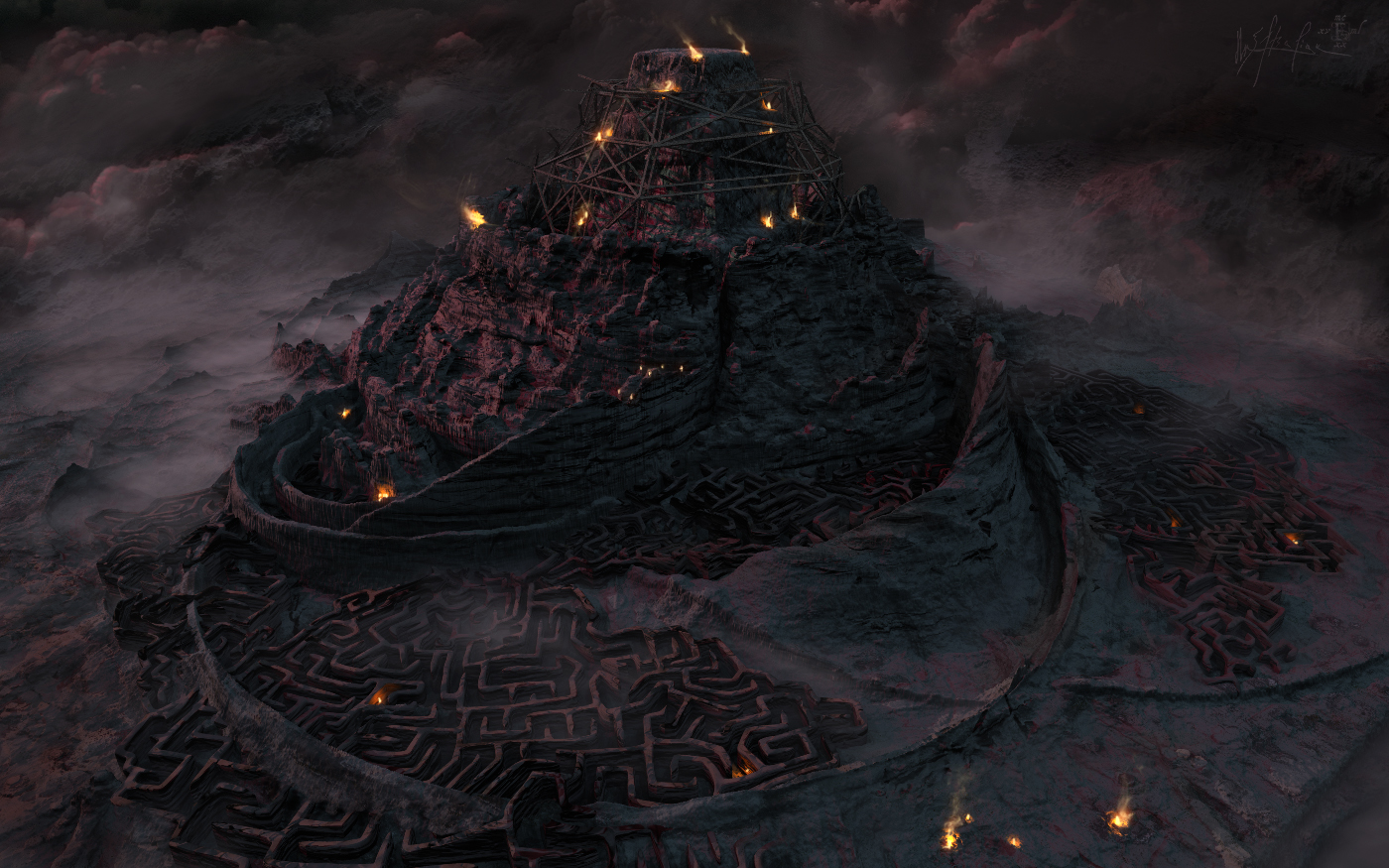
Minotaur Fortress Rebuild
All the below explanations are for the sake of learning and "how-to-do" in Bryce. It's not a mandatory reading :) This project was not planned ahead. It was inspired by Slepalex for his dedication in detail terrain and scenery work in Bryce. Thank you, Alex! So the main setup and final render were done in Bryce. I used a grayscale image of an Apophysis render as a height map in the terrain editor (4k terrain res). http://cold-may.com/out/Gray_Rings_x.jpg Then I modeled the tower, scaffolding and a generic labyrinth model with variations from it to scatter around the construction site. There is only one procedural terrain material and a bumpy metal used in the setup. I'd like to keep things simple when possible. Same goes for lighting - a weak ibl probe for the night time bluish shine and a red-pink saturated weak distant light for the dawn sun colors. The fore- and mid-ground fog is a bryce volumetric squished sphere with high quality (72) to reduce artifacts. The fires are weak radial lights with very small ranged falloff. I needed them to shine in 3d, rather to trying recreate them entirely postwork. Postwork consists of adding the flames and smoke of the fires and painting the background clouds + terrain blend. Since I failed in uploading the generic labyrinth model, here's a link for you, you guys can have it and use it freely. - preview: http://cold-may.com/out/Labyrinth_present.jpg - download Zip: http://cold-may.com/out/Labyrinth_objModel_plusUVs.zip - snapshot: http://cold-may.com/out/Maze_UVsnapshot_guide.jpg I made some quick UVs for the model and the last link above shows uv-snapshot (1k img) for those who'd like to texture in an external app like Photoshop, Paint Shop Pro, Gimp, etc. Use the snapshot as a guide-layer to see where you can paint or place your textures. Procedural texturing doesn't require UVs so bryce artists can start right away by importing, smoothing and assigning any material Bryce can provide. Happy rendering!
Comments 6
A conversation around the artworkSign in to join the conversation.
Stunning!!!! I love all the detail and the atmospherics. Everything is perfectly integrated! Makes me think of Game of Thrones for some reason.
it reminds me of a mixture of the tower of babel and the mysterious labyrinth of the minotaur. I think a lot of your pictures do have a intense atmosphere. The fires are outstanding and give the scene some depth. Kudos!
Thank you for your comments, gentlemen.
* This is an outstanding rendering, Rrichter. So many details in the modeling of terrains! Excellent lighting. This work reminds me of some of the fantastic films made in Hollywood. Of course, with the smoke of torches could make goes directly to Bryce. However, it's worth a lot of effort and a long render. Great score!
I like it I like the restraint in the use of colour. I like the lighting. Perhaps if some of the fires were done as Bryce-ONLY they could have radiated light over greater distances. That would have produced more modulation in lighting but at very high cost. Perhaps the transparent shield wall at the bottom left could have been given more definition and integrated in the overall lighting scheme. I don't see anything in that scene that could not have been created in Bryce-ONLY and ironically if it was done in that way, it may perhaps look even less than a Bryce render. But ignore my purist ramblings. Your render is wonderful. Your scene has a story to tell and you tell it well with composition and lighting. That is the whole point.
Very strange artwork, but nicely executed. Your artwork is always surprising. Full marks. Thank you for the explanations and the model.