FROM THE COMMUNITY COLLECTION
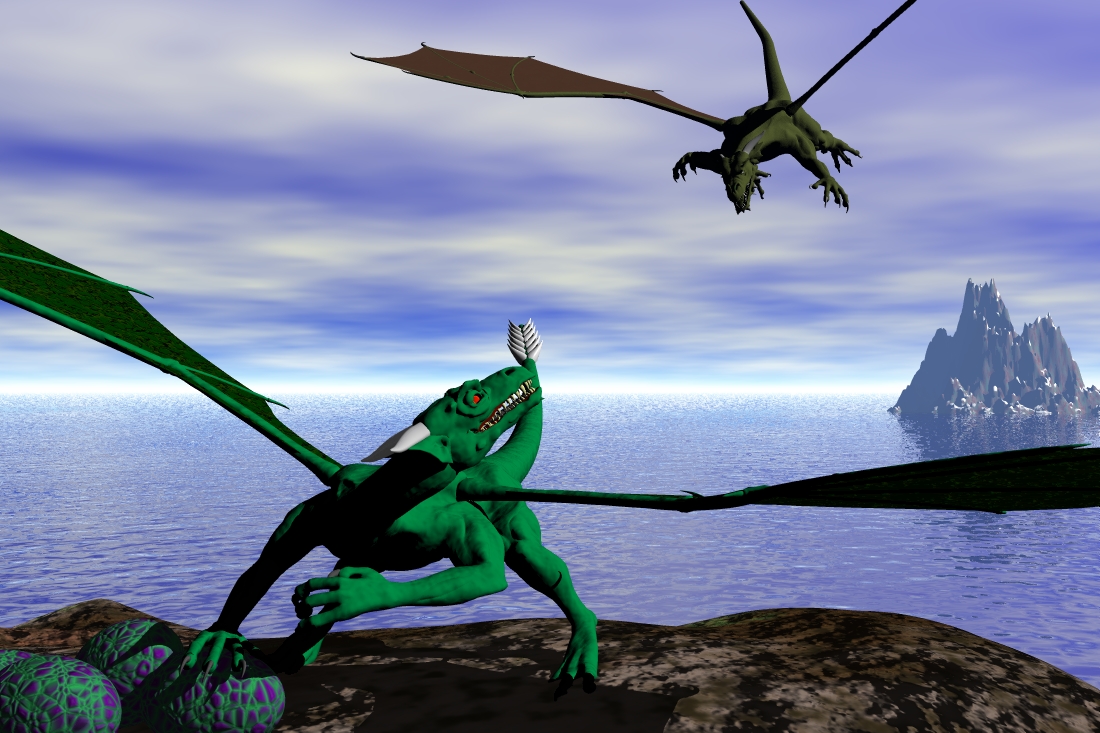
dragon raid
i am using millenium dragon from daz3d and positioned them in poser4 and then textured them in bryce. i feel this picture i missing something, that is why i put ti in this category. any sugestions on what i can do??
Loading unique views4,581 unverified legacy hits0.0 archived rating2004-07-19 added
Comments 5
A conversation around the artworkSign in to join the conversation.
cool I think boen_robot is right. Add more colors to the dragons. put something else in the background (like another island).
thanks thanks, when i get time i will definately try these things... the only thing boen_robot is that th dragon in the fore ground is stealing the eggs, not protecting them..... keep an eye out for the final picture
Here's how Dragons are strong creatures and you must respect this fact. Make the nest the same as the ground and move the dragon's hand as if it's sculpting the nest. That WILL be cool. Otherwise you can use...Foliage, but it won't look as good as the ground material. Instead of a simple green/brown use something more complex for the dragon's appearence, like Bladerunner City Map, Space Base Map II, or Default Leaf 4 atleast.
sounds good i tried making a torus around thr egs to be like a nest. but i couldnt get a texture to look like a nest. so you are sayign i should have more colours over the dragon's body???
Materials? The dragon's materials look too...cheap. They have a single colour(green-good) when they should have few(too look as real dragon). If you make the sky darker and make the flying dragon with red eyes the picture will be very cooler. By the way, having more colours also applyes for the tail of the dragon which is on the ground. You can also make something around the eggs. A nest that is. The dragon wouldn't want it's eggs to fall, right?