FROM THE COMMUNITY COLLECTION
Blue Planet
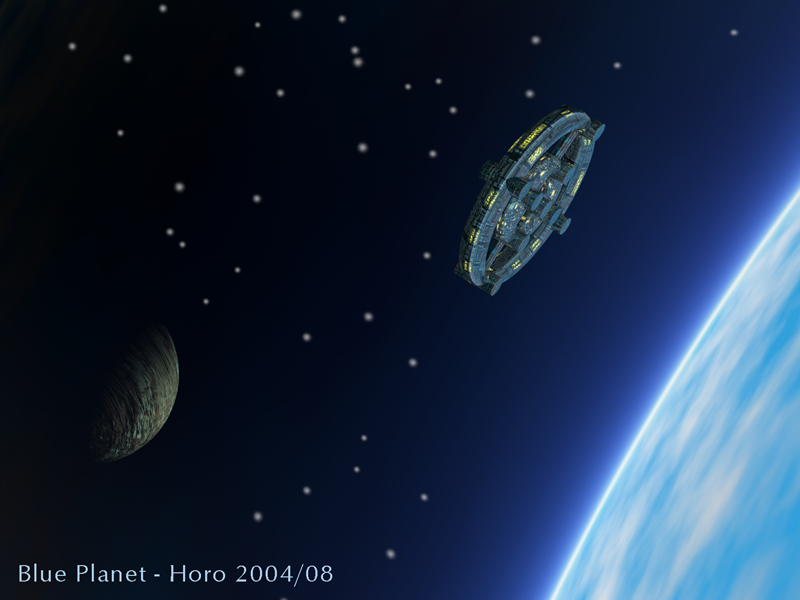
Using the clouded sky as a foreground planet (with a lens) usually asks to continue the pic with PS or the like. It can be done in Bryce. The wireframe does not show how the render will be distorted by the lens. So you're working essentially in the blind. Additionally, the floor with the haze keeps on harassing you all the time. The moon is a sphere with hight sensitive transparency and gets its light from the planet (through a spot). The stars are spheric visible lights as is obvious by their fuzzy edges. The ship is a part of a larger one, I have not published here, because I've blended it into a backdrop using PS and I thus consider it not as a pure Bryce work. It can be found on my website, though.
Loading unique views4,192 unverified legacy hits3.0 archived rating2004-08-30 added
Comments 2
A conversation around the artworkSign in to join the conversation.
Backdrop That's where it all falls down. The stars are not many enough, are too large and should not have unsharp edges. I've tried a snow cube that worked well for other non-snow applications, I've also tried a flat surface. This must be on the ground, since the ground is the sky and there is the mist I badly need for a planet with an atmosphere. To do a plausible space scene (with a rising sun behind the planet), I think one would have to resort to PS, like it or not.
Clever use of the lens effect, moon and spaceship lighting works well, I would have thought there should be more by the way of stars, huge numbers of tiny sharp pinpricks - maybe you could create a backdrop if you were up for that kind of a look? Still it's a nicely balanced pic and maybe the stars should be like this, who knows, I've never been into space.